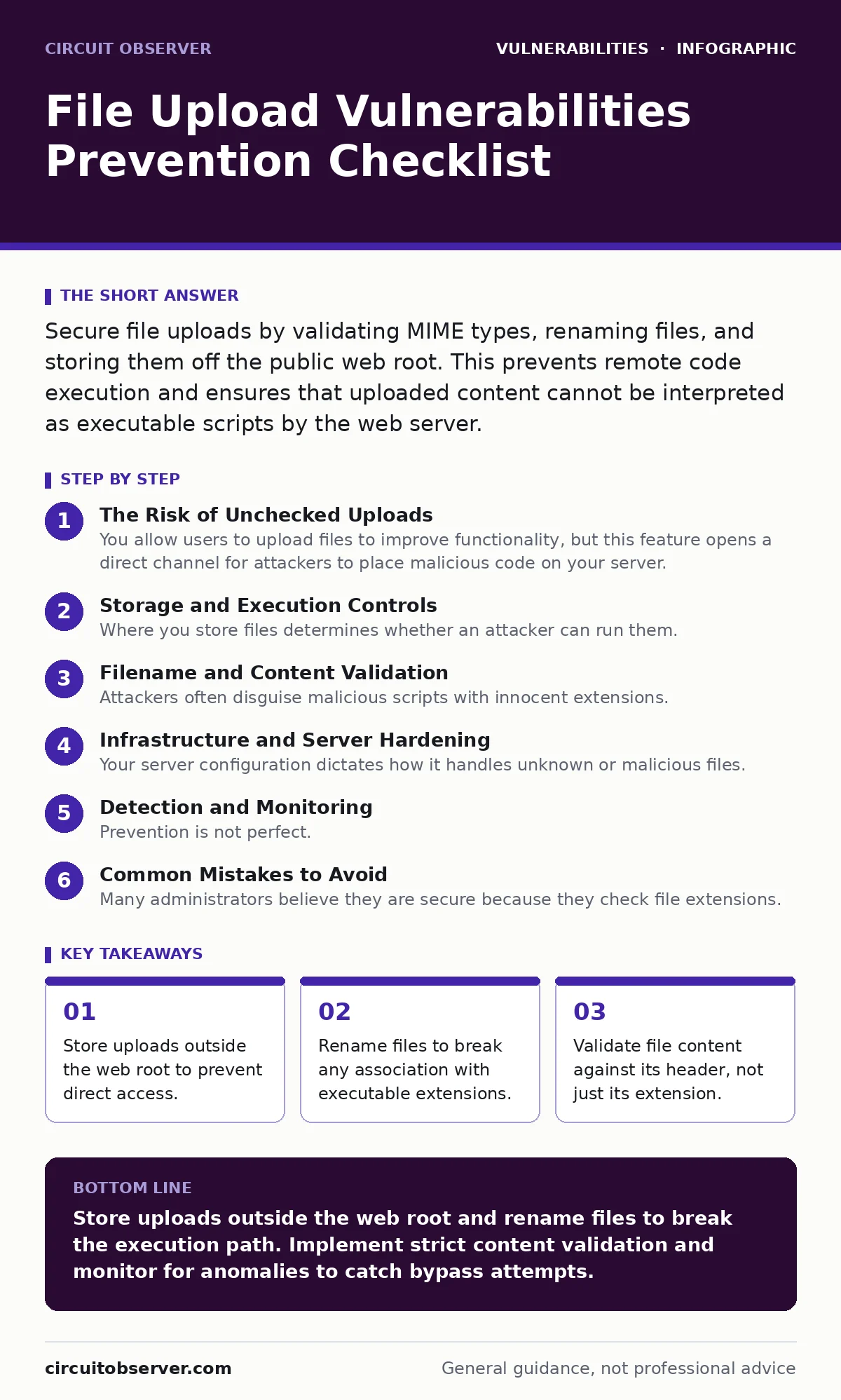
Secure file uploads by validating MIME types, renaming files, and storing them off the public web root. This prevents remote code execution and ensures that uploaded content cannot be interpreted as executable scripts by the web server.
The Risk of Unchecked Uploads
You allow users to upload files to improve functionality, but this feature opens a direct channel for attackers to place malicious code on your server. If the server interprets an uploaded image as a script, the attacker gains remote code execution. This vulnerability exists in almost every web application that accepts user content. The risk is not theoretical; it is a primary vector for initial compromise in many systems. You must treat every uploaded file as hostile until proven otherwise.
The danger increases when you combine this with other flaws. If your system suffers from authorization bypass vulnerabilities, an attacker can upload a file to a location they should not access. If they can trigger server-side template injection, they might use an uploaded file to inject code that the server processes. Understanding these adjacent risks helps you build a defense that covers multiple failure points.
Storage and Execution Controls
Where you store files determines whether an attacker can run them. The web root is the directory the server serves to visitors. If you place uploads there, the server may try to execute them. You must separate storage from serving.
- Store files outside the web root: The server cannot execute files it does not serve directly, blocking remote code execution attempts.
- Use a dedicated upload directory: Isolating uploads prevents them from interfering with application logic or other critical system files.
- Disable execution permissions on the directory: Even if a malicious file slips through, the operating system will refuse to run it.
- Serve files via a proxy script: This adds a layer of indirection, allowing you to inspect files before sending them to the user.
- Restrict access by user ID: Only the user who uploaded a file can retrieve it, preventing data leakage.
Filename and Content Validation
Attackers often disguise malicious scripts with innocent extensions. A file named image.php.jpg might be served as PHP if the server configuration is loose. You must control how files are named and what they contain.
- Rename files upon upload: Generating random names breaks any link to the original filename and prevents extension-based attacks.
- Validate MIME types via headers: Checking the file header confirms the actual content type, ignoring the user-provided extension.
- Verify file magic numbers: Reading the first few bytes of the file confirms its format, catching renamed executables.
- Reject double extensions: Filenames like
shell.php.jpgcan trick some servers into processing the PHP part. - Limit file size: Large files can cause denial of service by exhausting disk space or memory resources.
Imagine an attacker uploads a file named report.pdf.php. If you only check the extension, you might see .php and reject it, or worse, if you strip extensions, you might save it as report.pdf which is safe. But if you rename it to abc123.bin, the extension is irrelevant. The content validation remains the critical step.
Infrastructure and Server Hardening
Your server configuration dictates how it handles unknown or malicious files. Default settings are often too permissive. You must tighten these settings to reduce the attack surface.
- Disable script execution in upload directories: Configure the web server to treat the upload folder as static files only.
- Set correct MIME types: Explicitly define which types are allowed, preventing the server from guessing and executing dangerous formats.
- Use Content Security Policy headers: These headers can prevent the browser from executing scripts even if they are loaded.
- Implement rate limiting on uploads: This slows down automated attacks that try to upload many malicious files quickly.
- Log all upload attempts: Detailed logs help you detect and respond to suspicious activity after it occurs.
Detection and Monitoring
Prevention is not perfect. You need ways to detect when an attacker has bypassed your controls. Monitoring provides visibility into your upload pipeline.
- Scan files with anti-malware tools: Automated scanners can detect known malicious signatures in uploaded content.
- Monitor for unusual file types: Alert on uploads of rare formats that your application does not typically use.
- Check for duplicate filenames: Multiple uploads of the same name might indicate an attacker testing for race conditions.
- Validate file integrity: Compare checksums if you expect specific files, ensuring they have not been altered in transit.
- Use dynamic application security testing (DAST): Automated tools can attempt to upload malicious files and check if they are executed.
Static analysis tools like static application security testing (SAST) help you find code flaws during development. However, they cannot catch every runtime issue. Combining SAST with DAST gives you a broader view of your security posture.
See also: Web Cache Poisoning: How to Trace and Stop the Attack · SQL Injection Risks and Protection for Small Businesses
Common Mistakes to Avoid
Many administrators believe they are secure because they check file extensions. This is a fragile defense. Attackers have many ways to bypass simple checks. You must layer your defenses.
- Do not trust client-side validation: Users can easily bypass JavaScript checks by disabling it or using direct API calls.
- Do not rely on whitelisting only: While whitelisting is better than blacklisting, you must also validate content headers.
- Do not ignore zero-day threats: New vulnerabilities emerge constantly. Your defenses must be adaptable to unknown attacks.
- Do not assume HTTPS prevents injection: Encryption protects data in transit, but does not stop malicious content from being processed.
- Do not neglect patching: Unpatched server software may have known vulnerabilities that allow file manipulation.
If you find a vulnerability, do not ignore it. Use proof-of-concept exploits to understand the risk, but never run them on production systems. Fix the underlying issue by improving your validation and storage controls.
Integrating with Other Security Measures
File upload security does not exist in isolation. It interacts with other parts of your application. For example, if your application is vulnerable to mass assignment vulnerabilities, an attacker might manipulate the upload path or file name parameters. You must ensure that only intended parameters are accepted.
Open redirect vulnerabilities can also be combined with file uploads. An attacker might upload a file and then redirect users to it, increasing the impact of the compromise. Ensure your application validates redirect targets strictly.
VPN appliance vulnerabilities are less directly related, but if your administrative interface is exposed, attackers might use it to modify upload settings. Keep administrative access restricted and monitored.
Conclusion of Controls
You have reviewed the checklist. Now you must implement it. Start with storage controls, then move to validation, and finally harden your server. Each layer adds protection. No single control is sufficient. You must combine them to create a resilient system.
Regularly review your configurations. Test your defenses with authorized security scans. Update your software to patch known flaws. Stay aware of new attack techniques. Security is an ongoing process, not a one-time task.
Key takeaways
- Store uploads outside the web root to prevent direct access.
- Rename files to break any association with executable extensions.
- Validate file content against its header, not just its extension.
Store uploads outside the web root and rename files to break the execution path. Implement strict content validation and monitor for anomalies to catch bypass attempts.
Frequently asked questions
Why is renaming uploaded files important?
Renaming files breaks the link between the original filename and the stored file. This prevents attackers from using executable extensions to trigger code execution on the server.
Can I rely on file extension checks alone?
No. Attackers can use double extensions or trick the server into interpreting a file differently. You must validate the file content and headers in addition to the extension.
What is the difference between SAST and DAST for file uploads?
SAST checks the code for flaws during development, while DAST tests the running application for vulnerabilities. Both are needed to find different types of issues.
How do I prevent large file attacks?
Limit the maximum file size allowed for uploads. This prevents attackers from filling up disk space or consuming memory resources, which could cause a denial of service.
How this guide was produced: written by the Circuit Observer editorial team with AI assistance, checked against the public references listed below, and reviewed when the facts change. See our editorial policy or report an error.