
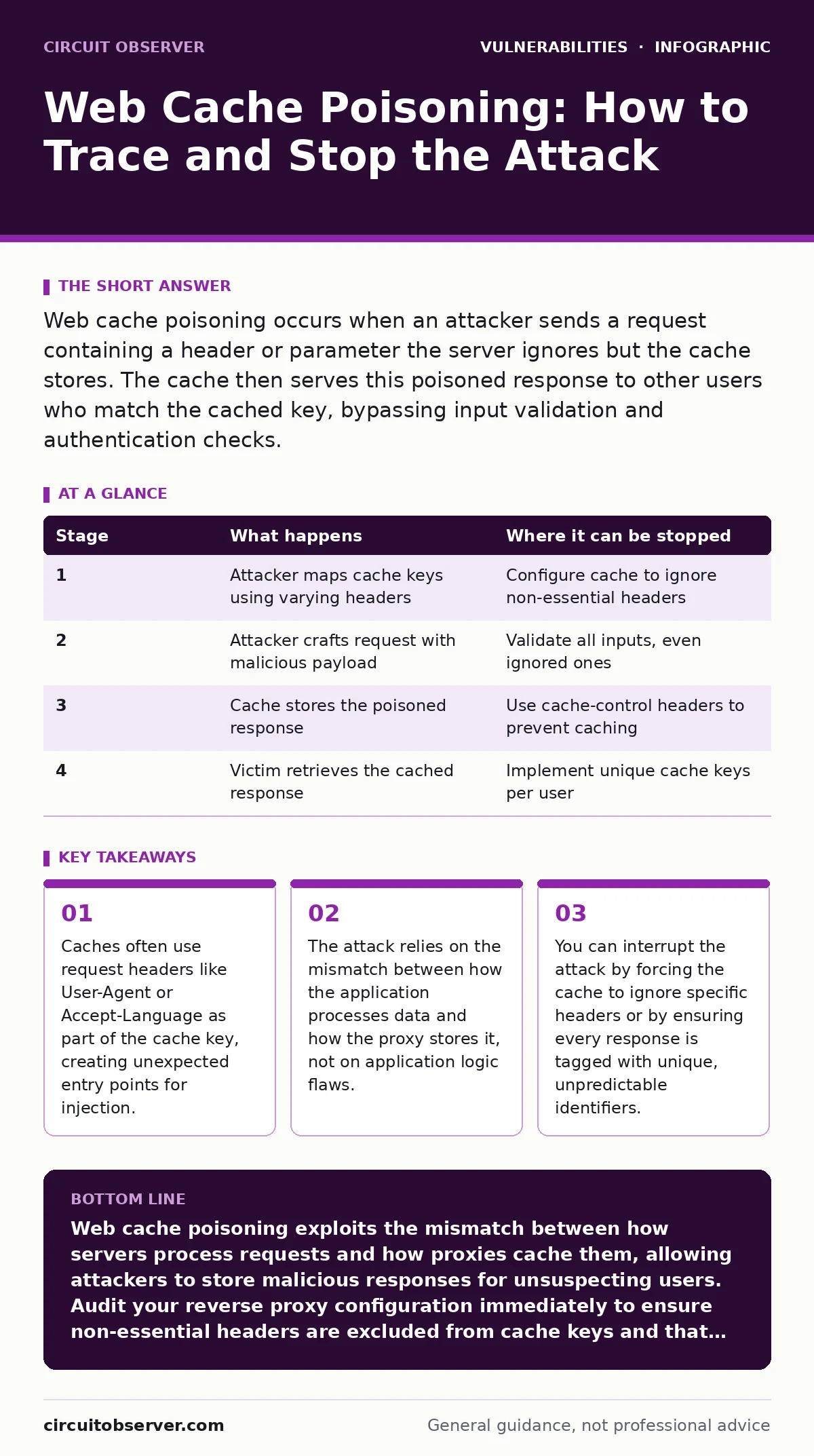
Web cache poisoning occurs when an attacker sends a request containing a header or parameter the server ignores but the cache stores. The cache then serves this poisoned response to other users who match the cached key, bypassing input validation and authentication checks.
Understanding the Cache Mismatch
Web cache poisoning exploits the gap between application logic and caching behavior. A web cache sits between users and servers, storing copies of responses to speed up delivery. The cache uses a key to identify which response to serve. This key usually consists of the URL path and query parameters. Applications often ignore certain headers or parameters during processing. The cache, however, might include them in the key. This discrepancy creates the vulnerability.
Imagine a server that ignores the X-Forwarded-Host header. The application processes the request normally. The reverse proxy, however, includes this header in the cache key. An attacker sends a request with a malicious payload in that header. The server returns a standard response. The proxy stores this response, linked to the unique header value. Later, a victim sends a request that matches that key. The proxy serves the stored, poisoned response.
This mechanism bypasses input validation. The application never sees the payload in the context it was processed. It only sees the clean request. The cache delivers the dirty response. This separation of concerns is the core of the problem.
Stage 1: Reconnaissance and Key Discovery
The attacker begins by mapping the cache behavior. They need to find which request components influence the cache key. Standard parameters like ?id=1 are obvious. Hidden components include headers such as User-Agent, Accept-Language, or X-Forwarded-Proto. The attacker sends multiple requests with varying values for these components. They observe if the response changes. If the response changes only when a specific header changes, that header is part of the cache key.
This stage requires patience. The attacker tests common headers first. They look for differences in HTML content, cookies, or redirect URLs. They do not inject code yet. They simply map the surface. The goal is to find a component that the server ignores but the cache respects. This component becomes the injection vector.
| Stage | What happens | Where it can be stopped |
|---|---|---|
| 1 | Attacker maps cache keys using varying headers | Configure cache to ignore non-essential headers |
| 2 | Attacker crafts request with malicious payload | Validate all inputs, even ignored ones |
| 3 | Cache stores the poisoned response | Use cache-control headers to prevent caching |
| 4 | Victim retrieves the cached response | Implement unique cache keys per user |
Stage 2: Crafting the Poisoned Request
Once the attacker identifies a viable header, they craft the payload. The payload must be valid within the cache storage format. It often contains JavaScript or HTML. The attacker ensures the payload is syntactically correct. They send the request to the server. The server processes the request body and path. It ignores the header. It generates a response. The response might contain the payload if the server echoes headers, or it might be a standard page.
The critical step is ensuring the response is cacheable. The server must not send Cache-Control: no-store or private. If the server sends these directives, the proxy will not store the response. The attacker checks for these headers. If they are present, the attack fails. The attacker looks for endpoints that return static content or public data. These endpoints rarely send no-cache directives.
Stage 3: Storage and Persistence
The proxy receives the response. It calculates the cache key using the URL and the specific header value. It stores the response in its memory or disk. This step happens automatically. The attacker does not control the storage mechanism. They only control the key and the value. The persistence depends on the cache time-to-live (TTL). If the TTL is long, the poison remains. If it is short, the attacker must refresh it.
The attacker verifies storage by sending a request with the same key. If the response matches the poisoned one, the storage was successful. The attacker now has a persistent attack vector. They do not need to interact with the server again. The cache holds the weapon. This persistence is dangerous. It allows the attack to scale. One request poisons thousands of subsequent requests.
Stage 4: Delivery to the Victim
The final stage involves a victim. The victim must send a request that matches the cache key. This is the hardest part for the attacker. They need to force the victim to use the same header value. This often requires social engineering. The attacker might link to the poisoned URL. They might use a redirect. They might exploit a flaw in another service that sets the header.
If the victim’s browser sends the matching header, the proxy intercepts the request. It finds the stored response. It serves it to the victim. The victim’s browser executes the payload. The attacker achieves their goal. The victim sees a modified page. The attacker might steal cookies or session tokens. The attack is complete.
Interrupting the Attack Chain
You can stop this attack at multiple points. The most effective method is configuration. Configure your reverse proxy to ignore headers that do not affect the response. Remove them from the cache key calculation. This breaks the link between the header and the stored response. The attacker’s payload will not be stored against a predictable key.
Another method is input validation. Validate all headers, even those you do not use. Reject requests with malformed or unexpected values. This prevents the payload from reaching the cache. You can also use cache-control headers. Send Cache-Control: private, no-store for all responses that contain user-specific data. This prevents caching entirely.
Consider the trade-offs. Ignoring headers might reduce cache efficiency. Validating all headers might slow down request processing. Using no-store headers increases server load. You must balance security and performance. There is no perfect solution. You must choose the right controls for your architecture.
Related Vulnerability Context
Understanding web cache poisoning helps you see broader risks. It shares similarities with server-side template injection. Both involve injecting code that is rendered later. Both rely on the separation of input and output. However, template injection happens on the server. Cache poisoning happens in the proxy.
This attack also relates to remote code execution vulnerabilities. Both allow an attacker to run code on a target system. Cache poisoning is often a stepping stone. It delivers the payload that triggers the RCE. Securing the cache reduces the attack surface for these deeper flaws.
When testing for these issues, use dynamic application security testing (DAST). DAST tools can scan for cache poisoning by sending varied headers and checking for responses. They automate the reconnaissance phase. This helps you find flaws before attackers do.
Implementing Least Privilege Access
The principle of least privilege access applies to caches too. The cache should not have access to sensitive data. It should not store responses that contain session tokens or personal information. Configure the cache to strip sensitive headers before storing responses. This limits the damage if a poisoning attack succeeds.
If the cache cannot store sensitive data, the attacker cannot steal it. The payload might still execute, but it cannot access the victim’s session. This reduces the impact. It turns a high-severity attack into a low-severity annoyance. You must define what is sensitive. Most applications consider cookies and authentication headers sensitive.
Coordinated Vulnerability Disclosure
If you find a cache poisoning vulnerability, follow coordinated vulnerability disclosure. Report it to the vendor or maintainer. Provide a clear description of the header and the payload. Explain the impact. Do not publish the details until a fix is available. This protects users and gives the vendor time to patch.
Responsible disclosure builds trust. It encourages vendors to fix flaws quickly. It reduces the window of exposure. For system administrators, this means monitoring for advisories. Apply patches promptly. Verify that the fix addresses the cache key configuration. Do not assume a generic update fixes the issue. Check the specific changes.
See also: SQL Injection Risks and Protection for Small Businesses · File Upload Vulnerabilities Prevention Checklist
Conclusion and Next Steps
Web cache poisoning is a subtle but powerful attack. It exploits the difference between application logic and caching behavior. You can stop it by configuring your cache correctly. Ignore unnecessary headers. Validate all inputs. Use cache-control directives. Regular audits are necessary. New configurations introduce new risks. Stay alert to changes in your infrastructure.
Key takeaways
- Caches often use request headers like User-Agent or Accept-Language as part of the cache key, creating unexpected entry points for injection.
- The attack relies on the mismatch between how the application processes data and how the proxy stores it, not on application logic flaws.
- You can interrupt the attack by forcing the cache to ignore specific headers or by ensuring every response is tagged with unique, unpredictable identifiers.
Web cache poisoning exploits the mismatch between how servers process requests and how proxies cache them, allowing attackers to store malicious responses for unsuspecting users. Audit your reverse proxy configuration immediately to ensure non-essential headers are excluded from cache keys and that sensitive responses are never cached.
Frequently asked questions
How do I know if my cache is vulnerable to poisoning?
Send requests with different values for common headers like User-Agent or Accept-Language. If the response changes based on these headers, but your application logic does not use them, your cache is likely vulnerable.
Can I prevent cache poisoning without changing my application code?
Yes, you can often fix this by configuring your reverse proxy or CDN. You can set rules to ignore specific headers when calculating the cache key, or force no-cache headers for sensitive endpoints.
Is web cache poisoning the same as cross-site scripting?
No, but they are related. Cross-site scripting (XSS) is the type of payload often used. Cache poisoning is the delivery mechanism. It allows the attacker to store the XSS payload in the cache for mass delivery.
Do CDNs protect against cache poisoning?
CDNs can help if configured correctly, but they can also introduce risks. Many CDNs vary caching on headers by default. You must explicitly configure them to ignore headers that do not affect the response content.
How this guide was produced: written by the Circuit Observer editorial team with AI assistance, checked against the public references listed below, and reviewed when the facts change. See our editorial policy or report an error.