
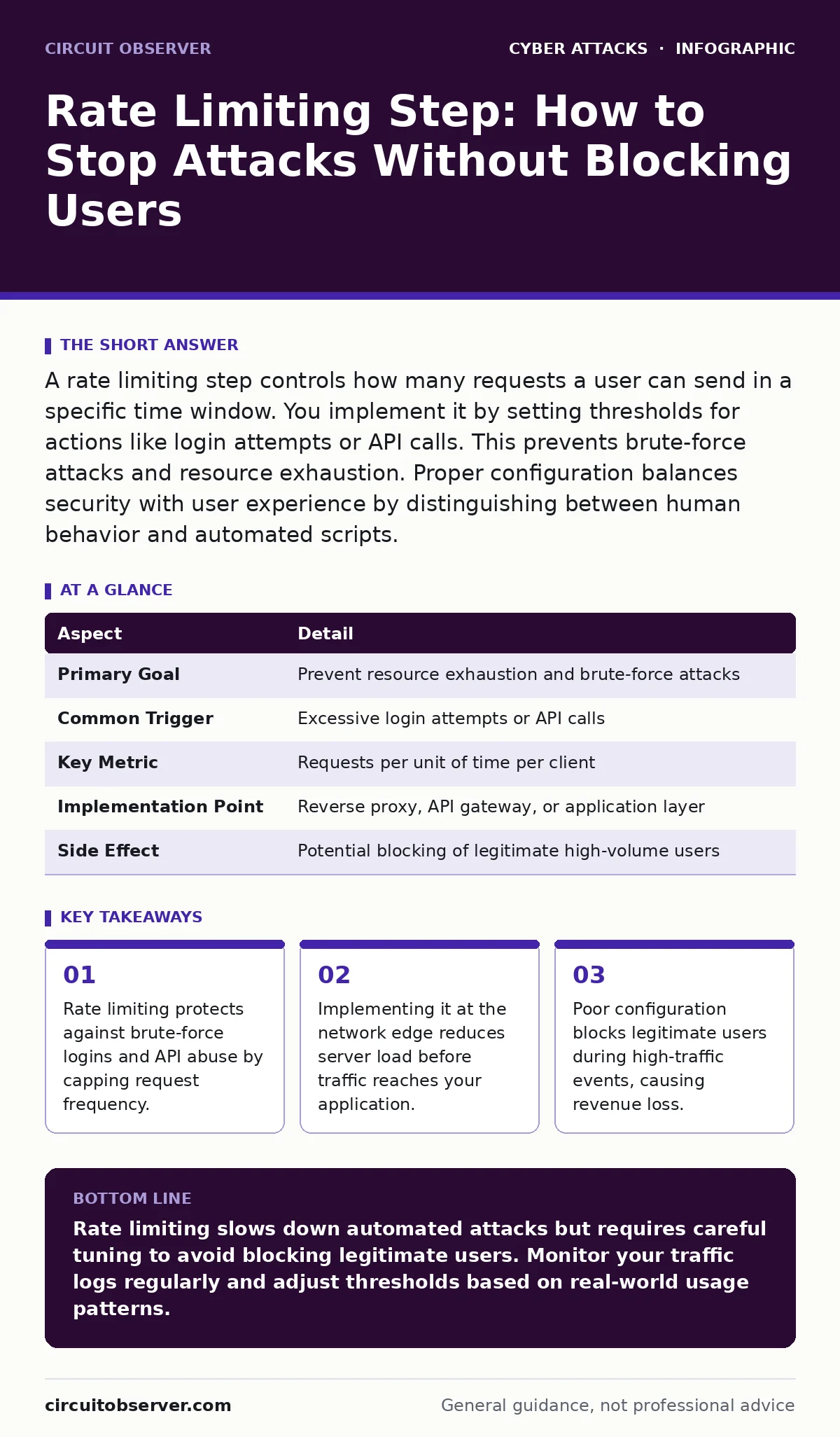
A rate limiting step controls how many requests a user can send in a specific time window. You implement it by setting thresholds for actions like login attempts or API calls. This prevents brute-force attacks and resource exhaustion. Proper configuration balances security with user experience by distinguishing between human behavior and automated scripts.
The Traffic Light Analogy
Imagine a narrow bridge that allows only 10 cars to pass every minute. If 100 cars arrive simultaneously, the bridge controller must turn away 90 of them. This prevents the structure from collapsing under the weight. Rate limiting works on the same principle for digital services. It restricts the number of actions a client can perform within a defined period. This mechanism protects your infrastructure from being overwhelmed by excessive traffic. It does not stop all malicious activity, but it slows down automated attacks significantly.
What Is Rate Limiting?
Rate limiting is a technique that controls the rate at which a user can send requests to a server or application. It acts as a gatekeeper, allowing normal traffic to flow while throttling or blocking excessive activity. You define rules that specify how many requests are allowed per second, minute, or hour. These rules apply to specific endpoints, user accounts, or IP addresses. The system tracks each request and compares it against the allowed threshold. When a user exceeds the limit, the server returns an error code, typically 429 Too Many Requests. This stops the user from continuing until the time window resets.
At a Glance
| Aspect | Detail |
|---|---|
| Primary Goal | Prevent resource exhaustion and brute-force attacks |
| Common Trigger | Excessive login attempts or API calls |
| Key Metric | Requests per unit of time per client |
| Implementation Point | Reverse proxy, API gateway, or application layer |
| Side Effect | Potential blocking of legitimate high-volume users |
How Rate Limiting Step Works
A rate limiting step involves three core components: identification, tracking, and enforcement. First, the system identifies the client making the request. This is usually done via an IP address, API key, or user session ID. Second, it tracks the number of requests made by that client within the configured time window. This tracking often uses a data structure like a sliding window log or a token bucket algorithm. Third, the system enforces the limit. If the count exceeds the threshold, the request is rejected. The client receives a response indicating they must wait before trying again. This process happens in milliseconds, ensuring minimal impact on legitimate users.
Who Does It Affect?
Rate limiting affects all users interacting with your service, but the impact varies. Legitimate users rarely notice it unless they are performing high-volume actions, such as bulk data uploads. They might see a temporary delay or an error message if they click a button too many times. Automated bots and malicious actors are the primary targets.
They face immediate blocking when their request patterns exceed normal human behavior. This includes credential stuffing attacks, where scripts try thousands of password combinations. It also impacts cryptomining attacks on exposed servers, where attackers try to inject code through high-frequency requests. By slowing these down, you reduce the likelihood of a successful breach.
See also: Hardware Security Keys: 6 Misconceptions That Weaken Your Defense · What Is Replay Attacks: How Recordings Compromise Your Systems
Common Misconfigurations
Many organizations implement rate limiting incorrectly, creating new vulnerabilities. One common error is setting limits too low. This blocks legitimate users during peak traffic, such as a product launch or a news event. Another mistake is relying solely on IP addresses for identification. Users behind a NAT (Network Address Translation) firewall share a single public IP.
If one user triggers the limit, everyone on that network is blocked. This is common in corporate environments or large apartment complexes. A third error is failing to log blocked requests. Without logs, you cannot analyze attack patterns or adjust your rules effectively. You also miss opportunities to identify bot protection gaps.
What People Usually Get Wrong
Users often believe rate limiting provides complete security. It does not. It only slows down attacks. A determined attacker can distribute requests across many IP addresses, bypassing simple limits. This is known as a distributed denial-of-service attack. Rate limiting also does not protect against application-layer logic flaws.
If your code has a vulnerability that allows data exfiltration with a single request, rate limiting will not stop it. Furthermore, many teams forget to test their limits under load. They set theoretical values without understanding real-world traffic patterns. This leads to either ineffective limits or excessive false positives. You must treat rate limiting as one layer in a deeper security strategy.
Integrating With Other Defenses
Rate limiting works best when combined with other security measures. For instance, pairing it with multi-factor authentication adds a second barrier. Even if an attacker bypasses the rate limit and guesses a password, they still need the second factor. You can also integrate rate limiting with your cyber incident response team protocols. When the system detects a sustained attack pattern, it can alert your team to investigate.
This helps distinguish between a misconfigured user and a genuine threat. Additionally, consider how rate limiting interacts with malicious email attachments. If your email gateway uses rate limiting, it can prevent spam bots from overwhelming your inbox. This holistic approach ensures that no single point of failure compromises your security.
Tuning Your Configuration
Tuning rate limits requires balancing security with usability. Start by analyzing your normal traffic patterns. Identify the maximum number of requests a legitimate user makes in a given period. Set your limit slightly above this baseline. Use exponential backoff for repeated violations. This means the wait time increases with each subsequent block. This discourages persistent attackers without permanently banning users. Regularly review your logs to adjust limits as your service grows. If you notice an increase in blocked legitimate traffic, raise the limit. If you see successful brute-force attempts, lower it. This iterative process ensures your rate limiting remains effective over time.
Key takeaways
- Rate limiting protects against brute-force logins and API abuse by capping request frequency.
- Implementing it at the network edge reduces server load before traffic reaches your application.
- Poor configuration blocks legitimate users during high-traffic events, causing revenue loss.
- Combining rate limiting with multi-factor authentication creates a stronger defense against credential theft.
Rate limiting slows down automated attacks but requires careful tuning to avoid blocking legitimate users. Monitor your traffic logs regularly and adjust thresholds based on real-world usage patterns.
Frequently asked questions
Can rate limiting stop a DDoS attack?
No. Rate limiting mitigates small-scale abuse. Large-scale DDoS attacks require specialized mitigation services at the network edge.
Should I rate limit by IP or user account?
Use user account limits for authenticated actions and IP limits for unauthenticated endpoints. Combining both offers better coverage.
What happens if I set the limit too high?
High limits reduce the effectiveness of the protection, allowing attackers to perform more actions before being blocked.
How this guide was produced: written by the Circuit Observer editorial team with AI assistance, checked against the public references listed below, and reviewed when the facts change. See our editorial policy or report an error.