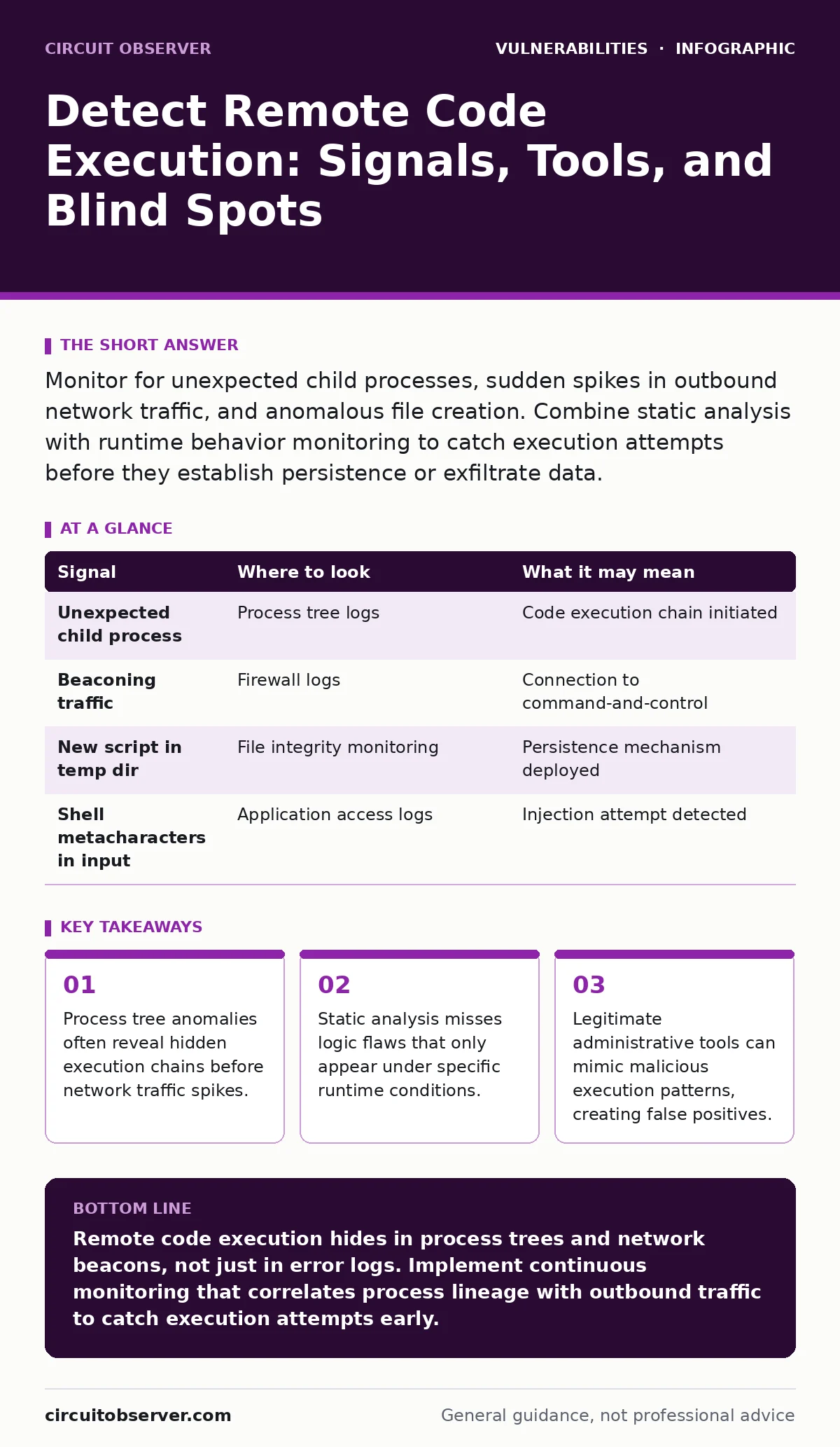
Monitor for unexpected child processes, sudden spikes in outbound network traffic, and anomalous file creation. Combine static analysis with runtime behavior monitoring to catch execution attempts before they establish persistence or exfiltrate data.
Tracing Process Lineage
Remote code execution (RCE) begins when an attacker forces a server to run unintended commands. The first sign is rarely a crash. It is often a subtle shift in how processes spawn. You must map the parent-child relationships of running applications.
Standard web servers spawn worker threads to handle requests. These threads follow a predictable pattern. When an attacker injects code, the application may spawn a new process that does not belong to the expected hierarchy. For example, a web server process might suddenly parent a shell interpreter or a network utility.
Imagine a scenario where a logging daemon starts a text editor. This breaks the expected lineage. You need to capture the full command line of every new process, including arguments. Many attacks pass encoded payloads as arguments. Decoding these reveals the true intent.
Analyzing Network Outbound Traffic
Once code executes, it often needs to communicate with an external controller. This creates outbound traffic that differs from normal application behavior. Web servers typically make outgoing connections only to specific upstream services or databases.
Look for connections to unknown IP addresses or ports. Pay attention to protocols that should not be present. If your application server suddenly initiates DNS queries to random domains, it may be attempting domain generation algorithm (DGA) communication. This technique allows attackers to locate command-and-control servers without hardcoding addresses.
Inspect the payload size and timing. Small, periodic packets sent at regular intervals suggest a beaconing behavior. This indicates the compromised host is checking for new instructions. You must correlate this traffic with the process that initiated it. Without this link, you cannot distinguish between a legitimate background update and a compromised host.
Inspecting File System Changes
Execution often leads to persistence. Attackers write new files to the disk to ensure they can return after a reboot. These files may appear in temporary directories, web roots, or system folders. You must monitor for file creation and modification events in sensitive locations.
Watch for scripts with unusual extensions or permissions. A file created with full write access for all users in a system directory is a major red flag. Also look for legitimate files that have been modified. Attackers often append malicious code to existing scripts to avoid detection.
Evaluating Application Logs
Application logs record the input received by the service. RCE attempts often leave traces in these inputs. Look for patterns that suggest injection. This includes shell metacharacters, command separators, or encoded strings.
However, attackers know you are watching. They may use polymorphic techniques to change the payload structure each time. This defeats simple signature matching. You need to normalize the input before analysis. Decode any encoding layers, such as URL encoding or Base64, to reveal the raw command.
Cross-reference these inputs with the server logs. If an input contains a command separator and the server log shows a subsequent error or unusual process start, you have a strong correlation. This link proves that the input caused the execution, not just that it was attempted.
Leveraging Security Testing Tools
Prevention requires finding these flaws before attackers do. Static application security testing (SAST) analyzes source code without running it. It finds obvious injection points where user input flows directly into system calls. This is a foundational step.
However, SAST cannot see runtime behavior. It may miss vulnerabilities that depend on configuration or environment variables. Dynamic application security testing (DAST) runs the application and probes it for weaknesses. It finds issues that only appear when the code is executing.
Combining these methods provides a broader view. You should also consider server-side request forgery (SSRF) as a related vector. If an application fetches URLs for users, an attacker might force it to access internal services, potentially leading to RCE if those services are vulnerable.
Identifying Common Blind Spots
Many teams focus on the application layer and ignore the underlying infrastructure. This is a critical gap. An attacker might exploit a vulnerability in a library or framework that the application uses but does not directly control. You must track all dependencies, not just your own code.
Another blind spot is legitimate administrative access. If an attacker compromises a user account with high privileges, their actions look like normal administration. You need strict least privilege access policies. This limits what an attacker can do even if they gain entry.
Broken access control is often the gateway to RCE. If a user can access endpoints meant for administrators, they may find an upload function or a configuration page that allows code execution. You must verify that every endpoint enforces proper authorization checks.
Interpreting the Evidence
Detecting RCE is not about finding a single smoking gun. It is about connecting disparate signals. A process anomaly, combined with unusual network traffic and a suspicious file creation, forms a pattern. You must train your detection systems to look for these correlations.
| Signal | Where to look | What it may mean |
|---|---|---|
| Unexpected child process | Process tree logs | Code execution chain initiated |
| Beaconing traffic | Firewall logs | Connection to command-and-control |
| New script in temp dir | File integrity monitoring | Persistence mechanism deployed |
| Shell metacharacters in input | Application access logs | Injection attempt detected |
Closing the Detection Gap
You must move beyond perimeter defense. The assumption that external threats stay outside is flawed. Once inside, the attacker operates within the trusted zone. Your detection must be internal, focusing on behavior rather than source.
Regularly review your detection rules against new techniques. Attackers adapt quickly. What was detectable last year may be invisible today. You need a continuous process of refinement. This includes updating your baselines and testing your detection capabilities with simulated attacks.
Remember that server-side template injection is a common path to RCE in modern web frameworks. If your application uses templating engines, ensure that user input is properly escaped and sandboxed. This specific vector is often overlooked in general security reviews.
Key takeaways
- Process tree anomalies often reveal hidden execution chains before network traffic spikes.
- Static analysis misses logic flaws that only appear under specific runtime conditions.
- Legitimate administrative tools can mimic malicious execution patterns, creating false positives.
Remote code execution hides in process trees and network beacons, not just in error logs. Implement continuous monitoring that correlates process lineage with outbound traffic to catch execution attempts early.
Frequently asked questions
How do I distinguish between a legitimate admin command and an RCE attack?
Look at the context and timing. Legitimate admin actions usually follow a pattern and occur during maintenance windows. RCE attacks often happen unexpectedly and may involve encoded or obfuscated commands.
Can I detect RCE if the attacker uses encrypted communication?
Yes, by monitoring the metadata. Even if the payload is encrypted, the frequency, size, and destination of the packets can reveal beaconing behavior. You can also monitor for the initiation of the encryption process itself.
Is static analysis enough to prevent RCE vulnerabilities?
No, static analysis finds code flaws but misses runtime issues. You must combine it with dynamic testing and runtime monitoring to catch vulnerabilities that depend on environment or configuration.
What is the first step after detecting a potential RCE?
Isolate the affected system immediately to prevent lateral movement. Then, capture memory and disk images for forensic analysis before attempting to remediate or reboot the system.
How this guide was produced: written by the Circuit Observer editorial team with AI assistance, checked against the public references listed below, and reviewed when the facts change. See our editorial policy or report an error.