
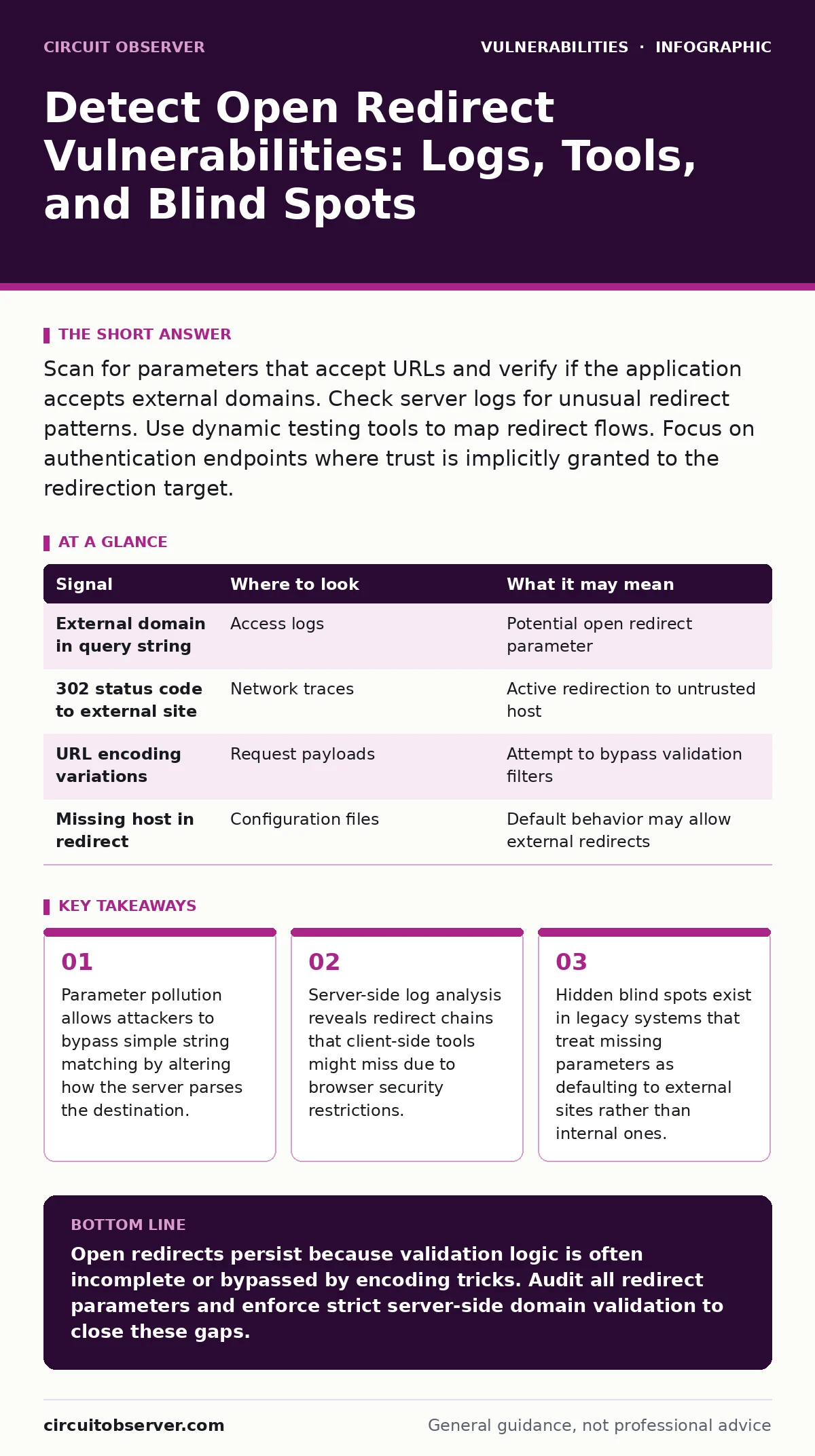
Scan for parameters that accept URLs and verify if the application accepts external domains. Check server logs for unusual redirect patterns. Use dynamic testing tools to map redirect flows. Focus on authentication endpoints where trust is implicitly granted to the redirection target.
Tracing Redirect Parameters in Request Logs
The first sign of an open redirect vulnerability often appears in your web server access logs. Look for requests where a parameter value contains a full URL or a path that resolves to an external domain. Standard logging captures the request URI, but you must also examine query strings. If you see a parameter named next, return, redirect, or url containing a value that points outside your trusted domain, flag it for review.
This pattern indicates the application accepts user-supplied input as the destination for a redirect. The risk arises when the application fails to validate that this destination belongs to your controlled infrastructure. Attackers exploit this by crafting links that appear legitimate but send users to phishing sites. The log entry itself is not proof of exploitation, but it confirms the mechanism exists.
The server logs this request. If the server processes the redirect without checking the hostname, the vulnerability is active. You must correlate these log entries with the application’s source code to understand the validation logic. Without code access, you rely on observing whether the redirect actually occurs in a controlled test.
Identifying Trust Boundary Failures
Open redirects violate the trust boundary of your application. The application tells the user’s browser to go somewhere, implying that destination is safe. When you detect a redirect to an external site, you are seeing a failure in this implied trust. This is distinct from a cross-site scripting (XSS) vulnerability because no script executes on your server or in the victim’s browser from your domain. The harm lies in the deception.
To detect this, map all endpoints that perform redirects. Authentication flows are the primary target. After a successful login, the application often redirects the user to the page they were trying to access. If the application stores the original URL in a parameter and redirects to it later, that parameter is a vector. Check if the validation logic only checks for the presence of your domain name, rather than ensuring the domain is exactly yours.
A common mistake is checking if the redirect URL starts with your domain. An attacker can bypass this by using a subdomain they control or by using a homograph attack. You must verify the exact hostname. If your application allows relative paths, ensure the logic does not accidentally resolve a relative path to an external site via protocol-relative URLs.
| Signal | Where to look | What it may mean |
|---|---|---|
| External domain in query string | Access logs | Potential open redirect parameter |
| 302 status code to external site | Network traces | Active redirection to untrusted host |
| URL encoding variations | Request payloads | Attempt to bypass validation filters |
| Missing host in redirect | Configuration files | Default behavior may allow external redirects |
Leveraging Dynamic Testing for Detection
Static analysis often misses open redirects because the logic depends on runtime state. Dynamic application security testing (DAST) tools are better suited for this. These tools interact with the live application, sending crafted inputs and observing the response. They can automatically detect when a redirect points to an external domain.
Configure your DAST tool to focus on authentication and authorization endpoints. These are the most likely places to find redirect logic. The tool should fuzz parameters that look like URLs, injecting various schemes and hostnames. Watch for the tool reporting a "open redirect" or "unsafe redirect" finding. Verify these findings manually, as automated tools can produce false positives if they misinterpret a legitimate redirect to a third-party login provider.
When testing, vary the input format. Try standard HTTP URLs, then try protocol-relative URLs like //evil.com. Try encoding the slash or the colon. If the application decodes the input before validation, these variations might bypass simple checks. If the application validates the encoded string, the raw malicious URL might still pass. This dual-path risk requires thorough testing.
Analyzing Server-Side Template Injection Risks
Sometimes the redirect mechanism is hidden inside server-side template injection (SSTI). If your application uses templating engines to generate responses, an attacker might inject code that forces a redirect. This is harder to detect because the redirect is not in the URL parameter but in the rendered HTML or server response.
Look for unexpected 302 or 301 status codes in responses to seemingly static pages. If a page that usually returns a 200 OK suddenly returns a redirect, investigate the input that triggered it. Check if the input contains template syntax specific to your engine. This is a secondary vector for open redirects, but it is often overlooked because security teams focus on code execution rather than navigation control.
This vulnerability overlaps with mass assignment vulnerabilities. If an attacker can set arbitrary properties on an object, they might set the redirect_url property directly. You must ensure that object properties are explicitly allow-listed, not just deny-listed. A deny-list approach fails when new properties are added or when hidden properties exist.
Recognizing Common Blind Spots
Most detection efforts focus on obvious parameters like url or next. Blind spots appear in less obvious places. Check for parameters that accept file paths. If an application redirects to a file viewer, and the file path is user-supplied, an attacker might supply a URL as the file path. The application might treat the URL as a path and redirect to it.
Another blind spot is the absence of a parameter. Some applications have a default redirect target. If the application is configured to redirect to an external site when a parameter is missing, this is a configuration error. Check your default configuration files and database defaults. Ensure that missing parameters result in a safe internal redirect, not an external one.
Also, consider internationalized domain names (IDNs). These domains can look like your domain but resolve to an attacker’s site. If your validation logic only checks for ASCII characters, it might reject valid internal domains but accept malicious IDNs that bypass the check. You must normalize and validate the domain name strictly.
See also: Web Cache Poisoning: How to Trace and Stop the Attack · SQL Injection Risks and Protection for Small Businesses
Mitigating the Detection Gap
Detecting open redirects is only the first step. You must understand why the detection failed. Often, the failure is due to implicit trust. The application assumes that because it issued the redirect, the target is safe. This assumption breaks when the target is user-controlled.
To close the detection gap, implement strict validation on the server side. Client-side validation can be bypassed. Server-side validation must check the scheme, hostname, and port. Reject any redirect that does not match your allowed list of domains. If you must allow external redirects, mark them explicitly in the UI to warn the user.
This approach aligns with least privilege access. The redirect mechanism should only have permission to redirect to known, trusted locations. Any other destination should be rejected. This reduces the attack surface and makes detection easier because any deviation from the allowed list is immediately suspicious.
Integrating with Coordinated Disclosure
Once you detect an open redirect, you must assess the risk. Not all open redirects are equal. A redirect on a public page is less risky than a redirect on an authenticated admin page. The context matters. If the redirect can be used to bypass authentication checks, the risk is high.
Document the finding and integrate it into your coordinated vulnerability disclosure process. Ensure that your detection methods are automated so that new instances are caught early. Regularly review your redirect logic during code reviews. Look for any new parameters that accept URLs and ensure they are validated.
This proactive approach prevents the accumulation of technical debt. Open redirects are often seen as low-risk, but they are a primary tool for phishing. By treating them with the same rigor as server-side request forgery (SSRF), you reduce the likelihood of successful social engineering attacks. The key is consistent validation and continuous monitoring.
Key takeaways
- Parameter pollution allows attackers to bypass simple string matching by altering how the server parses the destination.
- Server-side log analysis reveals redirect chains that client-side tools might miss due to browser security restrictions.
- Hidden blind spots exist in legacy systems that treat missing parameters as defaulting to external sites rather than internal ones.
Open redirects persist because validation logic is often incomplete or bypassed by encoding tricks. Audit all redirect parameters and enforce strict server-side domain validation to close these gaps.
Frequently asked questions
How do I distinguish a legitimate redirect from an open redirect vulnerability?
A legitimate redirect points to a trusted, known domain. An open redirect allows user input to determine the destination, including external domains. Check if the destination is hardcoded or dynamically determined by the user.
Can open redirects be exploited if the site uses HTTPS?
Yes. HTTPS encrypts the connection but does not validate the trustworthiness of the destination domain. An attacker can use HTTPS for their phishing site, making the redirect appear secure to the user.
What is the difference between an open redirect and a server-side request forgery?
An open redirect forces the user’s browser to go to an external site. Server-side request forgery forces the server to make a request to an internal or external target. The former deceives the user; the latter exploits the server’s trust.
Should I block all external redirects?
Blocking all external redirects is secure but may break legitimate functionality like third-party logins. Instead, maintain an explicit allow-list of trusted external domains and reject all others.
How this guide was produced: written by the Circuit Observer editorial team with AI assistance, checked against the public references listed below, and reviewed when the facts change. See our editorial policy or report an error.