BitLocker encrypts Windows drives to protect data from physical theft. It requires TPM hardware and adds minimal performance overhead. It does not protect against malware, insider threats, or attackers with administrative access to the live operating system.
The Mechanism of Drive Encryption
BitLocker is a full-disk encryption feature built into Windows. It encrypts the entire volume, including the operating system, temporary files, and paging files. The encryption uses the Advanced Encryption Standard, a widely accepted standard for securing data. The system decrypts data on the fly as the operating system requests it. You do not need to manually lock or unlock files. The protection is transparent to the user once the initial setup is complete.
The security relies on the Trusted Platform Module, a dedicated chip on the motherboard. This module stores cryptographic keys and measures the boot process. If the boot sequence changes unexpectedly, the TPM refuses to release the decryption key. This prevents attackers from booting the drive on another machine to access your files. The TPM ensures that only the specific hardware configuration can unlock the drive.
Concrete Benefits for Data Protection
The primary benefit is protection against physical theft. If a laptop is stolen from a cafe or office, the thief cannot read the data without the password or recovery key. The drive appears as random noise to anyone without the correct credentials. This is critical for devices that travel frequently or leave controlled environments. It also protects against dumpster diving, as discarded drives cannot be cloned or read.
BitLocker integrates with Group Policy, allowing centralized management. Administrators can enforce encryption across an organization without touching each device individually. This reduces the administrative overhead of securing endpoints. The encryption happens in the background, so users do not need to change their workflow. The performance impact is negligible on modern hardware with hardware acceleration support.
For organizations using device guard or virtualization-based security, BitLocker adds another layer of defense. It ensures that the memory used by secure processes is also protected. This limits the ability of malware to dump sensitive data from RAM. The combination of hardware roots of trust and software policies creates a strong baseline for endpoint security. This approach aligns with the principles of mobile device security, where physical loss is a constant risk.
Honest Limitations and Blind Spots
BitLocker does not protect against malware running on the host. If an attacker gains administrative access, they can read files as they are decrypted for use. The encryption only applies to data at rest on the disk. It does not encrypt network traffic or memory. An attacker with remote access can exfiltrate data just as easily as without encryption. This is a common misconception among users who believe encryption solves all security problems.
The recovery key management is a significant operational burden. If the key is lost, the data is permanently unrecoverable. Microsoft does not hold copies of these keys. You must store them in Active Directory or Azure Active Directory, or print them physically. Physical storage is risky, as paper can be lost or stolen. Cloud storage requires trust in the provider’s security posture. Misconfiguration here leads to total data loss, not just a security breach.
BitLocker also has compatibility issues with certain hardware. Older motherboards may lack a TPM or have buggy implementations. Some USB drives do not support the necessary encryption protocols. Virtual machines may require additional configuration to simulate a TPM. These edge cases can break deployment plans and require workarounds. The feature is designed for standard enterprise hardware, not niche or legacy systems.
Weighing Benefits Against Limitations
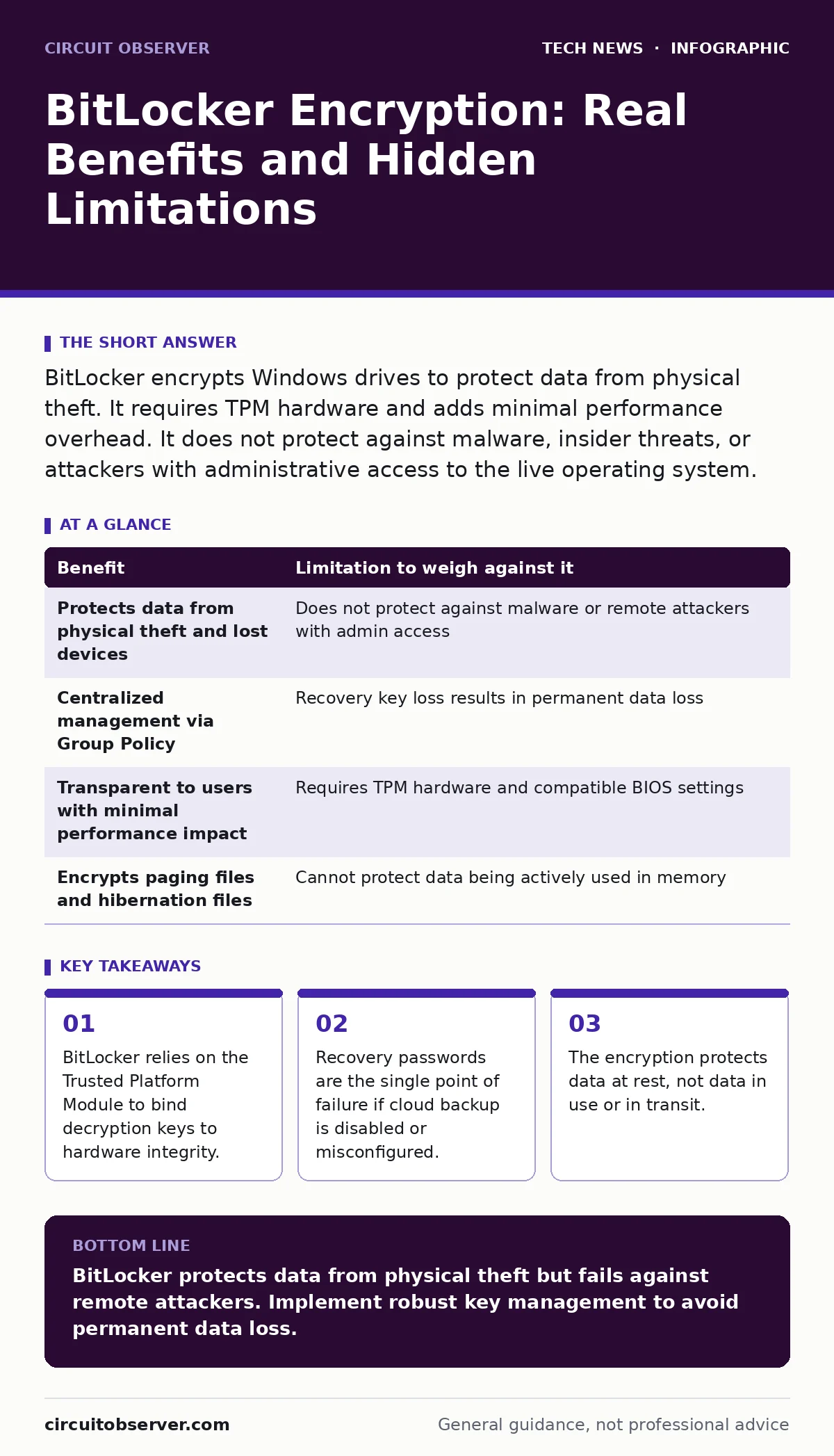
| Benefit | Limitation to weigh against it |
|---|---|
| Protects data from physical theft and lost devices | Does not protect against malware or remote attackers with admin access |
| Centralized management via Group Policy | Recovery key loss results in permanent data loss |
| Transparent to users with minimal performance impact | Requires TPM hardware and compatible BIOS settings |
| Encrypts paging files and hibernation files | Cannot protect data being actively used in memory |
This table highlights the trade-offs. You gain physical security at the cost of operational complexity. You gain centralized control but create a single point of failure with key management. You gain user convenience but lose visibility into what is being accessed. Understanding these trade-offs helps you decide if BitLocker fits your specific environment. It is not a silver bullet, but a specific tool for a specific threat model.
When It Is Worth It
BitLocker is worth it when devices leave your physical control. Laptops, tablets, and external drives are prime candidates. If an employee travels frequently, the risk of theft or loss increases. BitLocker ensures that a lost device does not become a data breach. It is also worth it for compliance requirements. Many regulations mandate encryption for data at rest. BitLocker provides an auditable way to meet these requirements.
It is also valuable for organizations with weak physical security. If offices are not locked at night or server rooms lack biometric access, BitLocker adds a layer of defense. Even if a bad actor enters the building, they cannot access the data without the keys. This is particularly relevant for remote work security, where devices are used in untrusted environments like homes or hotels. The encryption ensures that the device is secure regardless of its location.
See also: Encoding vs Encryption: How to Choose the Right Data Protection Method · USB Security Mistakes: 7 Hidden Risks and How to Fix Them
When It Is Not Worth It
BitLocker is less valuable for stationary workstations in secure facilities. If the computer never leaves the office and the room is locked, physical theft is unlikely. The operational cost of managing keys may outweigh the minimal risk. It is also not worth it if you lack a robust key management system. Without a reliable way to store and retrieve recovery keys, you risk locking yourself out.
It is not a substitute for other security measures. If you rely on BitLocker to protect against phishing or weak passwords, you are mistaken. You still need strong authentication and endpoint detection. BitLocker does not replace the need for regular patching or antivirus software. It is one piece of a larger puzzle. For servers, consider data center security practices that include physical access controls and network segmentation. BitLocker is useful, but it is not the primary defense for server-side data.
Managing the Recovery Key
The recovery key is a 48-digit number. It is the only way to unlock the drive if the TPM fails or the boot configuration changes. You must back it up immediately after enabling BitLocker. Storing it in Active Directory is the best practice for enterprise environments. For individual users, saving it to a Microsoft account is an option, but it requires trust in that cloud service. Never store the key on the encrypted drive itself. This creates a circular dependency that makes recovery impossible.
Test the recovery process regularly. Have an IT staff member or user attempt to recover a test drive. This ensures the key is valid and the process is understood. Documentation of the recovery procedure is vital. If an employee leaves, the next admin must know how to recover keys. Neglecting this step leads to panic and data loss when things go wrong. This is a critical aspect of macOS security settings as well, where recovery keys must be managed with similar care.
Final Considerations
BitLocker is a powerful tool for protecting data at rest. It is easy to deploy and has minimal impact on performance. However, it is not a complete security solution. It does not protect against remote attacks, malware, or insider threats. You must combine it with other security measures for comprehensive protection. Evaluate your risk tolerance and operational capacity before deploying. The benefits are clear, but the limitations are real. Understanding both sides ensures you make the right choice for your environment.
Key takeaways
- BitLocker relies on the Trusted Platform Module to bind decryption keys to hardware integrity.
- Recovery passwords are the single point of failure if cloud backup is disabled or misconfigured.
- The encryption protects data at rest, not data in use or in transit.
BitLocker protects data from physical theft but fails against remote attackers. Implement robust key management to avoid permanent data loss.
Frequently asked questions
Does BitLocker protect against ransomware?
No, BitLocker only encrypts data at rest. Ransomware can encrypt files before BitLocker protects them, or access decrypted data in memory.
What happens if I lose my BitLocker recovery key?
Your data is permanently inaccessible. Microsoft cannot recover it, and no backdoor exists for unlocking the drive.
Can BitLocker be used on external USB drives?
Yes, BitLocker To Go allows encryption of removable drives, but performance may be slower and compatibility varies by device.
Does BitLocker slow down my computer?
Modern hardware with AES-NI support experiences negligible performance impact. Older hardware may see slight slowdowns.
How this guide was produced: written by the Circuit Observer editorial team with AI assistance, checked against the public references listed below, and reviewed when the facts change. See our editorial policy or report an error.