
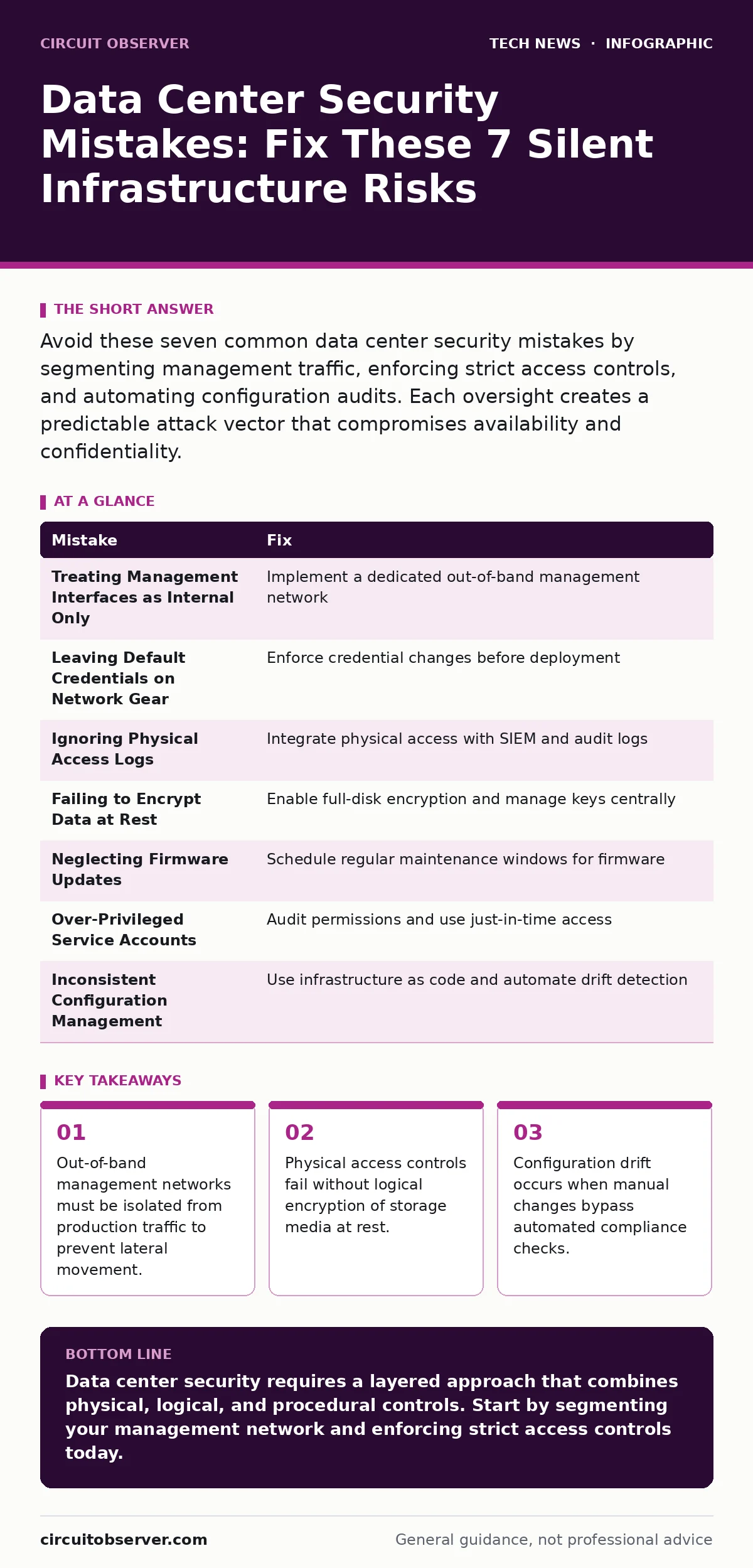
Avoid these seven common data center security mistakes by segmenting management traffic, enforcing strict access controls, and automating configuration audits. Each oversight creates a predictable attack vector that compromises availability and confidentiality.
Mistake 1: Treating Management Interfaces as Internal Only
Administrators often assume that because management interfaces reside within the facility, they are safe from external threats. This assumption ignores the reality of compromised internal hosts and insider threats. When a web server is breached, the attacker pivots to the hypervisor management console if it sits on the same VLAN.
Why it hurts:
A single compromised application server grants the attacker control over the entire physical host. The management plane becomes the attack surface. You lose the ability to isolate incidents because the control channel is compromised alongside the data channel.
The fix:
Implement a dedicated out-of-band management network. This separate physical or logically isolated network handles all administrative traffic. Use strong authentication mechanisms for every device on this network. Refer to our guide on remote work security for principles on securing administrative access regardless of location.
Mistake 2: Leaving Default Credentials on Network Gear
Switches, routers, and firewalls often ship with default administrative accounts. Administrators deploy these devices quickly to meet uptime demands, sometimes skipping the credential change step. This is a critical failure in the deployment lifecycle.
Why it hurts:
Attackers scan for common default credentials automatically. Once inside, they can reconfigure network rules to intercept traffic or disable security features. The device becomes a permanent backdoor that survives reboots and updates.
The fix:
Enforce a policy that requires credential changes before device deployment. Use a centralized password manager to generate unique, complex passwords for every device. Disable unused default accounts entirely. This practice aligns with email security protocols where unique identifiers prevent mass compromise.
Mistake 3: Ignoring Physical Access Logs
Many facilities rely on biometric scanners or keycards for entry but do not audit the logs regularly. The assumption is that if the door was locked, the room was secure. This ignores tailgating and the risk of unauthorized personnel following authorized staff.
Why it hurts:
Physical access allows an attacker to plug into network ports, steal hardware, or install keyloggers. Digital defenses are irrelevant if someone has direct access to the console ports. The breach goes undetected until data exfiltration is complete.
The fix:
Integrate physical access control systems with your security information and event management platform. Alert on after-hours access or multiple entries by the same badge in a short period. Review logs weekly to identify anomalies. This complements IoT security by treating physical sensors as part of the attack surface.
Mistake 4: Failing to Encrypt Data at Rest
Administrators often encrypt data in transit using TLS but neglect encryption for storage. They assume that physical security prevents unauthorized access to drives. This is a dangerous assumption in the event of theft or hardware disposal.
Why it hurts:
If a drive is stolen, the data is readable without bypassing any software controls. During hardware refresh cycles, failed drives may be sent to recyclers without proper sanitization. The data remains accessible to anyone with physical possession.
The fix:
Enable full-disk encryption on all servers and storage arrays. Manage encryption keys centrally using a hardware security module. Ensure that decommissioned drives are cryptographically erased, not just formatted. This is similar to FileVault on macOS, which encrypts the entire volume to protect data from physical theft.
Mistake 5: Neglecting Firmware Updates
Firmware updates for servers, switches, and storage controllers are often delayed due to fear of downtime. Administrators prioritize application patches over low-level system updates. This leaves known vulnerabilities in the hardware abstraction layer unpatched.
Why it hurts:
Firmware vulnerabilities can persist across operating system reinstalls. Attackers can install rootkits that survive disk wipes. The hardware itself becomes a vector for persistent compromise that is difficult to detect and remove.
The fix:
Schedule regular maintenance windows specifically for firmware updates. Test updates in a staging environment that mirrors production. Automate the deployment process to reduce human error. See our guide on end-of-life hardware for strategies on managing devices that no longer receive security updates.
Mistake 6: Over-Privileged Service Accounts
Service accounts are often granted excessive permissions to simplify application deployment. The principle of least privilege is ignored in favor of operational ease. These accounts become high-value targets for attackers.
Why it hurts:
A compromised service account with administrative rights allows an attacker to move laterally across the entire infrastructure. They can create new admin users, disable logging, and exfiltrate data. The blast radius of a single credential leak is massive.
The fix:
Audit service account permissions quarterly. Remove unnecessary privileges and use just-in-time access for administrative tasks. Implement multi-factor authentication for all privileged accounts. This reduces the risk of credential stuffing attacks described in domain name security best practices.
Mistake 7: Inconsistent Configuration Management
Manual configuration changes lead to drift between servers. Administrators make ad-hoc changes to fix immediate issues without documenting them. This creates an inconsistent security posture across the data center.
Why it hurts:
Inconsistencies create blind spots in security monitoring. A server that deviates from the baseline may have open ports or weak configurations. Audits become difficult and time-consuming, delaying the detection of misconfigurations.
The fix:
Use infrastructure as code to manage server configurations. Version control all configuration files and apply changes through automated pipelines. Regularly scan for configuration drift and alert on deviations. This ensures that every server meets the same security standards, similar to macOS security settings enforcement in enterprise environments.
| Mistake | Fix |
|---|---|
| Treating Management Interfaces as Internal Only | Implement a dedicated out-of-band management network |
| Leaving Default Credentials on Network Gear | Enforce credential changes before deployment |
| Ignoring Physical Access Logs | Integrate physical access with SIEM and audit logs |
| Failing to Encrypt Data at Rest | Enable full-disk encryption and manage keys centrally |
| Neglecting Firmware Updates | Schedule regular maintenance windows for firmware |
| Over-Privileged Service Accounts | Audit permissions and use just-in-time access |
| Inconsistent Configuration Management | Use infrastructure as code and automate drift detection |
Key takeaways
- Out-of-band management networks must be isolated from production traffic to prevent lateral movement.
- Physical access controls fail without logical encryption of storage media at rest.
- Configuration drift occurs when manual changes bypass automated compliance checks.
Data center security requires a layered approach that combines physical, logical, and procedural controls. Start by segmenting your management network and enforcing strict access controls today.
Frequently asked questions
How often should I audit data center access logs?
Audit logs weekly for anomalies and monthly for comprehensive reviews. Continuous monitoring with automated alerts is ideal for real-time detection.
Is full-disk encryption enough for data protection?
No. Encryption protects data at rest but does not prevent unauthorized access to live systems. Combine encryption with strong access controls and network segmentation.
What is the biggest risk to out-of-band management networks?
The biggest risk is insufficient authentication and lack of monitoring. Ensure that all access is logged and requires multi-factor authentication.
How do I handle firmware updates without downtime?
Use live update technologies where available, or schedule updates during maintenance windows. Test updates in a staging environment first to ensure compatibility.
How this guide was produced: written by the Circuit Observer editorial team with AI assistance, checked against the public references listed below, and reviewed when the facts change. See our editorial policy or report an error.