Secure mobile devices by enforcing full-disk encryption, managing apps through a mobile device management system, and separating personal data from work accounts. Focus on controlling the device hardware and software rather than just the network connection.
The Mobile Perimeter Is Everywhere
Traditional network security relies on a defined boundary. Firewalls and intrusion detection systems monitor traffic entering and leaving a specific data center or office network. Mobile devices shatter this model. Your users carry the corporate network in their pockets. When a smartphone connects to public Wi-Fi, it bypasses your office firewall entirely. This means the device itself must be the primary security control.
You cannot rely on network segmentation to protect a phone sitting in a coffee shop. The operating system on the device becomes your new perimeter. If the device is compromised, the attacker has direct access to corporate resources, regardless of where the device is located. This shift requires a change in strategy from protecting the building to protecting the hardware.
Encryption Is Non-Negotiable
Full-disk encryption transforms readable data into scrambled text that requires a key to decode. Without this key, the data on the device is useless to anyone who gains physical access. Both iOS and Android have built-in encryption that activates by default on modern devices. However, you must ensure this feature is enabled and managed correctly.
Encryption protects against theft. It does not protect against a user voluntarily sharing a screenshot or sending an email to the wrong person. It is a defense against physical loss, not human error. For small businesses, this is the single most effective control you can deploy. It requires no additional software, only correct configuration.
Refer to the guide on FileVault for similar concepts on macOS, or BitLocker for Windows systems. The principle remains the same: data at rest must be unreadable without authentication.
Managing Devices Without Invading Privacy
Small businesses often hesitate to manage employee phones because they fear invading personal privacy. This fear leads to a false choice between security and privacy. You can secure corporate data without accessing personal photos or messages. This is achieved through containerization.
Containerization creates a separate, secure workspace on the device for corporate apps and data. This workspace can be encrypted, monitored, and wiped independently of the personal data. If an employee leaves, you wipe the corporate container. Their personal photos, contacts, and apps remain untouched. This approach respects user privacy while maintaining strict control over business assets.
Mobile device management platforms handle this separation. They push configuration profiles that enforce password complexity, disable sideloading of untrusted apps, and enforce encryption. You do not need to install heavy software on the device. Modern mobile operating systems support these management protocols natively.
The Cost of Control
Security measures often come with hidden costs. The cost is not just the price of software licenses. It is the time required to configure policies, train users, and respond to incidents. Small teams have limited bandwidth. You must choose controls that provide the highest security return for the lowest administrative effort.
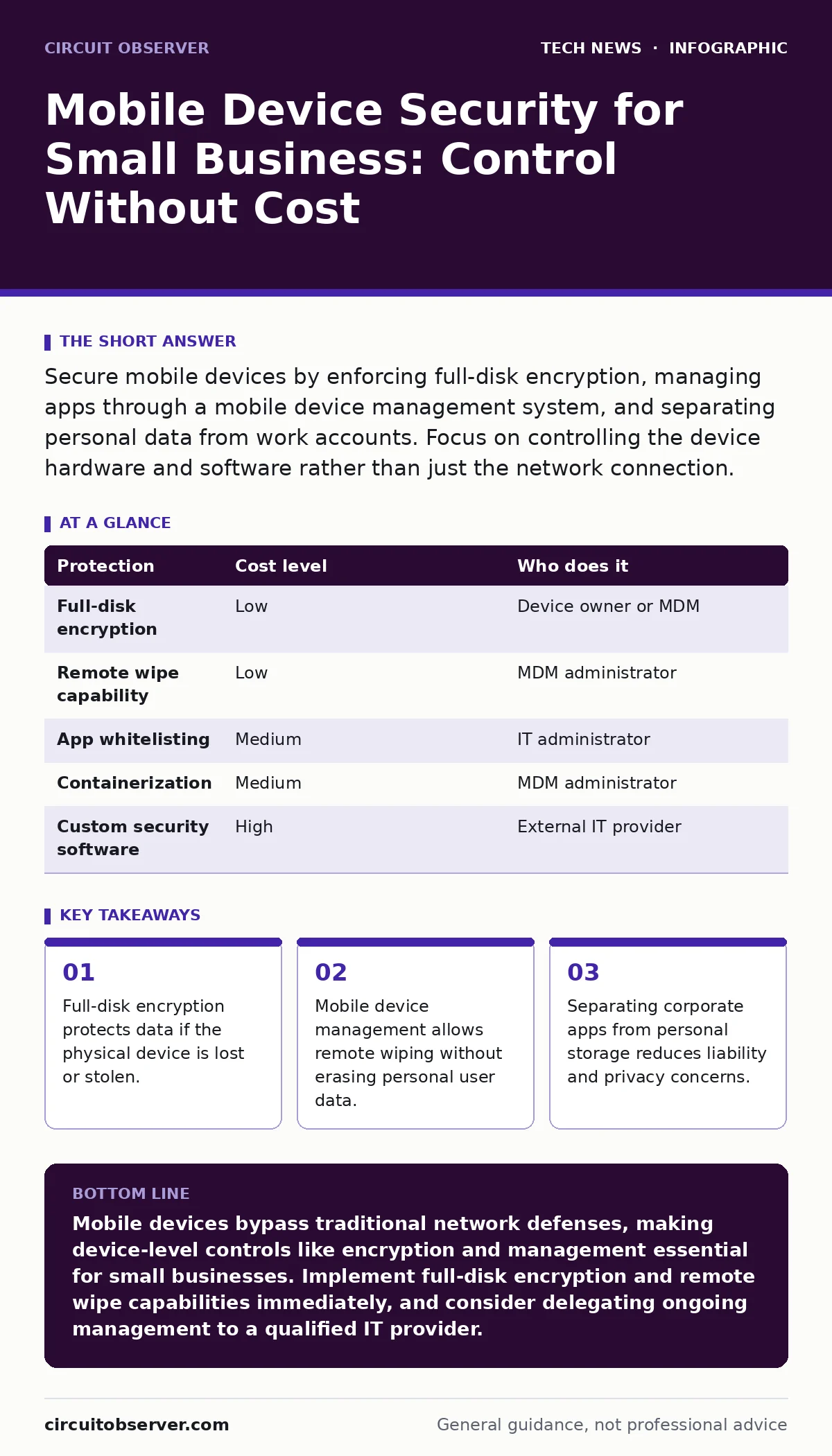
The table below outlines common protections, their relative cost, and who should implement them.
| Protection | Cost level | Who does it |
|---|---|---|
| Full-disk encryption | Low | Device owner or MDM |
| Remote wipe capability | Low | MDM administrator |
| App whitelisting | Medium | IT administrator |
| Containerization | Medium | MDM administrator |
| Custom security software | High | External IT provider |
Delegating to IT Providers
You cannot manage mobile security effectively if you are also managing payroll and client invoices. Specialization matters. When you hire an IT provider, you are buying their expertise and their time. You need to know exactly what they will do and what you must do yourself.
Ask these questions before signing a contract:
- How do you separate corporate data from personal data on employee devices?
- What is your process for remotely wiping a lost device without affecting personal data?
- Do you support both iOS and Android management profiles?
- How do you handle app updates and security patches for managed devices?
- What happens to corporate data when an employee leaves the company?
Do not accept vague answers. You need specific technical details. If the provider cannot explain containerization or mobile device management profiles, they are not qualified to manage your mobile security.
Integrating with Existing Systems
Mobile security does not exist in a vacuum. It must integrate with your existing identity and access management systems. Single sign-on allows users to access corporate apps with one set of credentials. This reduces password fatigue and ensures that access is revoked immediately when an employee leaves.
Refer to the guide on SAML for details on how single sign-on works. This protocol allows mobile apps to authenticate against your central identity provider. It ensures that the device is not just authenticated, but that the user is who they claim to be. This adds a layer of security that device-level controls alone cannot provide.
Also consider domain name security to ensure that your users are connecting to legitimate corporate services. Phishing attacks often target mobile users who are less likely to inspect URLs carefully. Secure your domains to prevent attackers from impersonating your services.
The Human Element
Technology controls are only as strong as the people who use them. Users will find ways to bypass restrictions if those restrictions hinder their work. Your security policy must balance protection with usability. If a policy is too cumbersome, users will ignore it, creating a false sense of security.
Train users on the risks of public Wi-Fi and the importance of keeping their devices updated. Explain why you require certain controls. When users understand the "why," they are more likely to comply. Regular training reinforces good habits and ensures that new employees are aware of the policies from day one.
Key takeaways
- Full-disk encryption protects data if the physical device is lost or stolen.
- Mobile device management allows remote wiping without erasing personal user data.
- Separating corporate apps from personal storage reduces liability and privacy concerns.
Mobile devices bypass traditional network defenses, making device-level controls like encryption and management essential for small businesses. Implement full-disk encryption and remote wipe capabilities immediately, and consider delegating ongoing management to a qualified IT provider.
Frequently asked questions
Can I secure personal phones used for work without installing company software?
Yes, by using containerization and mobile device management profiles that manage only corporate apps and data, leaving personal apps and data untouched.
What is the first step in securing mobile devices?
Enable full-disk encryption on all devices. This protects data if the device is lost or stolen and is built into modern mobile operating systems.
How do I handle an employee leaving the company?
Use remote wipe capabilities to remove corporate data from their device. Ensure this process only affects the corporate container, not their personal data.
Do I need a separate mobile device management system?
For small teams, built-in management features may suffice. As you grow, a dedicated system helps enforce policies and manage apps more effectively.
How this guide was produced: written by the Circuit Observer editorial team with AI assistance, checked against the public references listed below, and reviewed when the facts change. See our editorial policy or report an error.