
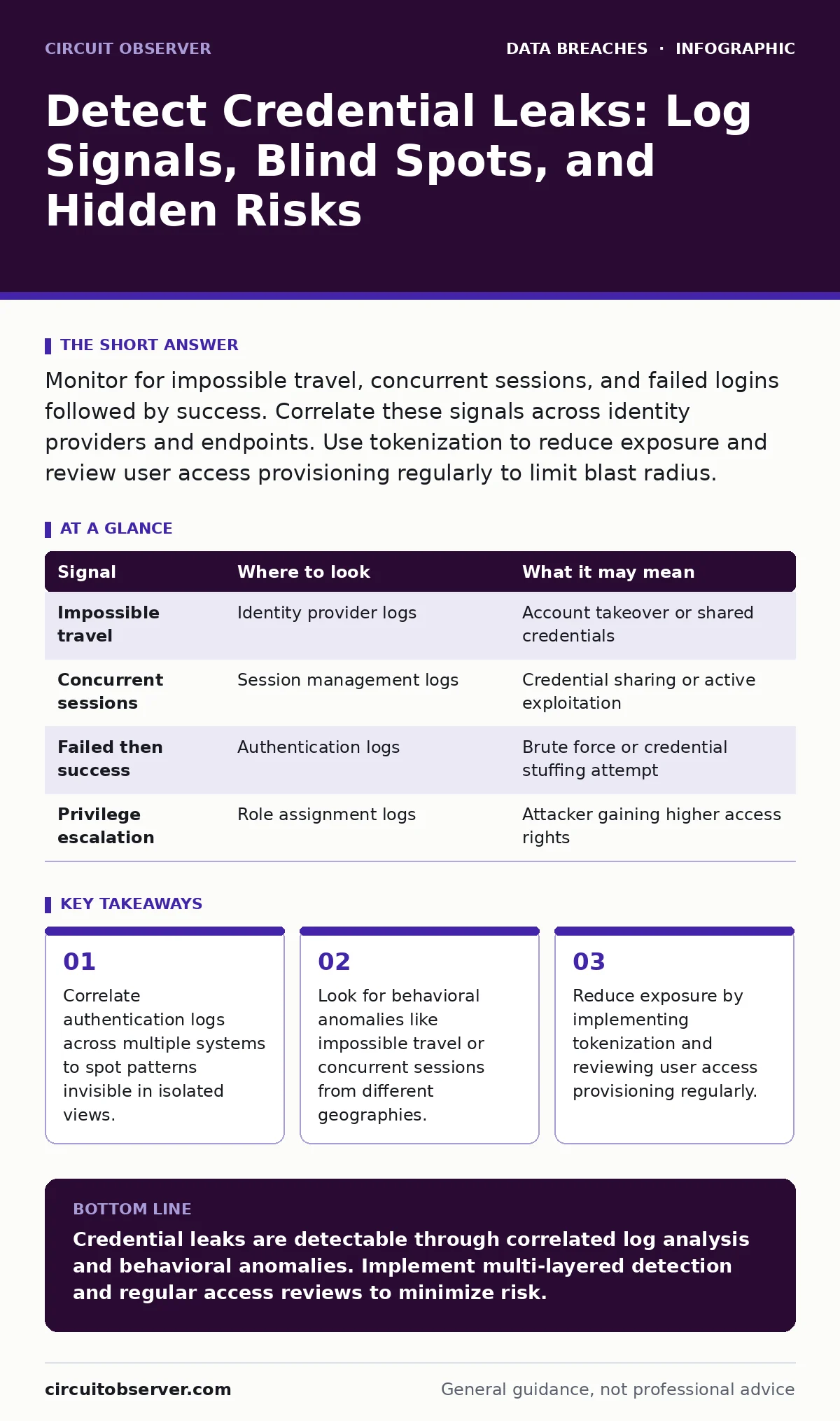
Monitor for impossible travel, concurrent sessions, and failed logins followed by success. Correlate these signals across identity providers and endpoints. Use tokenization to reduce exposure and review user access provisioning regularly to limit blast radius.
The Anatomy of a Silent Leak
Credentials rarely vanish without leaving a trace. They linger in logs, memory dumps, and configuration files. The challenge is not finding the data but recognizing the signal amidst the noise. Most teams focus on perimeter breaches. They miss the internal signals that indicate credentials have already been compromised.
You must shift your focus from entry points to lateral movement indicators. A leaked credential is useless unless someone uses it. Therefore, your detection strategy must center on usage patterns.
Authentication Log Anomalies
Identity providers generate vast amounts of data. You need to filter this data for specific anomalies. Look for failed login attempts followed immediately by a successful one. This pattern suggests an attacker is testing stolen credentials.
Pay attention to the source of these attempts. If a login originates from an unusual IP range or an unfamiliar device identifier, flag it. Device fingerprinting helps here. It assigns a unique ID to each browser or application instance.
| Signal | Where to look | What it may mean |
|---|---|---|
| Impossible travel | Identity provider logs | Account takeover or shared credentials |
| Concurrent sessions | Session management logs | Credential sharing or active exploitation |
| Failed then success | Authentication logs | Brute force or credential stuffing attempt |
| Privilege escalation | Role assignment logs | Attacker gaining higher access rights |
Endpoint and Local Artifacts
Credentials often reside locally before being transmitted. Browsers cache passwords for convenience. This convenience becomes a liability if the endpoint is compromised. Malware can scrape these stores.
Check for unauthorized credential managers. Legitimate tools integrate smoothly with the OS. Rogue tools often run as background processes with obfuscated names. Inspect running processes and loaded modules on critical systems.
Network Traffic Indicators
Not all leaked credentials travel over HTTP. Some use encrypted channels that hide the payload. However, metadata remains visible. Look for unusual outbound connections to known malicious domains.
DNS queries can reveal exfiltration attempts. Attackers often use DNS tunneling to send data. Monitor for high volumes of DNS queries or unusually long domain names. These patterns deviate from normal browsing behavior.
Suppose an employee visits a legitimate site that hosts malicious scripts. These scripts may attempt to steal session cookies. You will see outbound traffic to unexpected domains during this session.
Behavioral Biometrics
Human behavior is consistent. Deviations from baseline patterns raise flags. Typing speed, mouse movement, and login times form a behavioral profile. Machine learning models can detect anomalies in these metrics.
If a user typically logs in from one location at nine AM and suddenly logs in from another continent at midnight, the system should question this. It does not block the login immediately. Instead, it challenges the user with additional verification steps.
This approach reduces friction for legitimate users while catching automated attacks. Bots cannot mimic human biometrics effectively. They struggle with the randomness of human interaction.
See also: Difference Between Unauthorized Access and Unauthorized Use Explained · Insider Data Theft: Early Signs and Detection Strategies
Common Blind Spots
Many organizations overlook service accounts. These accounts have high privileges and are rarely monitored. Attackers target them because they lack behavioral baselines. There is no "normal" usage pattern for a machine account.
Another blind spot is third-party applications. They often store credentials insecurely. When you onboard new vendors, you expose your infrastructure to their security posture. This is where vendor risk management becomes critical.
Legacy systems also pose risks. They may use outdated encryption or store credentials in plaintext. These systems are difficult to patch. They become easy targets for attackers seeking low-hanging fruit.
Tooling and Correlation
No single tool provides complete visibility. You need a Security Information and Event Management (SIEM) system. It aggregates logs from various sources. Correlation rules then identify complex attack patterns.
Identity Governance and Administration (IGA) tools help manage access. They ensure users have only the permissions they need. This limits the damage if a credential is stolen.
Consider implementing tokenization. This process replaces sensitive data with non-sensitive equivalents. Even if an attacker steals the token, it is useless outside your system. This reduces the value of leaked credentials.
The Human Factor
Users are both the weakest link and the first line of defense. They may inadvertently leak credentials through phishing. Training must go beyond generic advice. Teach them to recognize specific phishing tactics.
Phishing emails often mimic legitimate services. They create urgency. They ask for immediate action. Users should verify the source independently. Do not click links in emails. Type the URL manually.
Implement multi-factor authentication everywhere. It adds a layer of security. Even if a password is stolen, the attacker cannot access the account without the second factor. Use hardware keys where possible. They are more secure than SMS codes.
Continuous Improvement
Detection is not a one-time task. Threats evolve. Your detection methods must evolve with them. Regularly review and update your correlation rules. Test them against new attack vectors.
Conduct tabletop exercises. Simulate a credential leak. Identify gaps in your response plan. Do these exercises often. They keep your team sharp and reveal weaknesses in your processes.
Review your user access provisioning regularly. Remove access for users who no longer need it. This reduces the attack surface. It also limits the blast radius of any future breach.
Key takeaways
- Correlate authentication logs across multiple systems to spot patterns invisible in isolated views.
- Look for behavioral anomalies like impossible travel or concurrent sessions from different geographies.
- Reduce exposure by implementing tokenization and reviewing user access provisioning regularly.
Credential leaks are detectable through correlated log analysis and behavioral anomalies. Implement multi-layered detection and regular access reviews to minimize risk.
Frequently asked questions
How do I know if my credentials are leaked online?
Check reputable breach databases like Have I Been Pwned. They aggregate leaked data from various sources and allow you to search for your email addresses.
Should I change passwords after a leak?
Yes, change passwords immediately for any affected accounts. Use unique passwords for each service. Consider using a password manager to generate and store complex passwords securely.
What is credential stuffing?
Credential stuffing is an attack where bots use leaked username-password pairs from one breach to access accounts on other sites. It relies on users reusing passwords across multiple platforms.
How does tokenization help with credential security?
Tokenization replaces sensitive data with non-sensitive tokens. Even if tokens are stolen, they cannot be reversed to reveal the original data. This limits the impact of a data breach.
How this guide was produced: written by the Circuit Observer editorial team with AI assistance, checked against the public references listed below, and reviewed when the facts change. See our editorial policy or report an error.