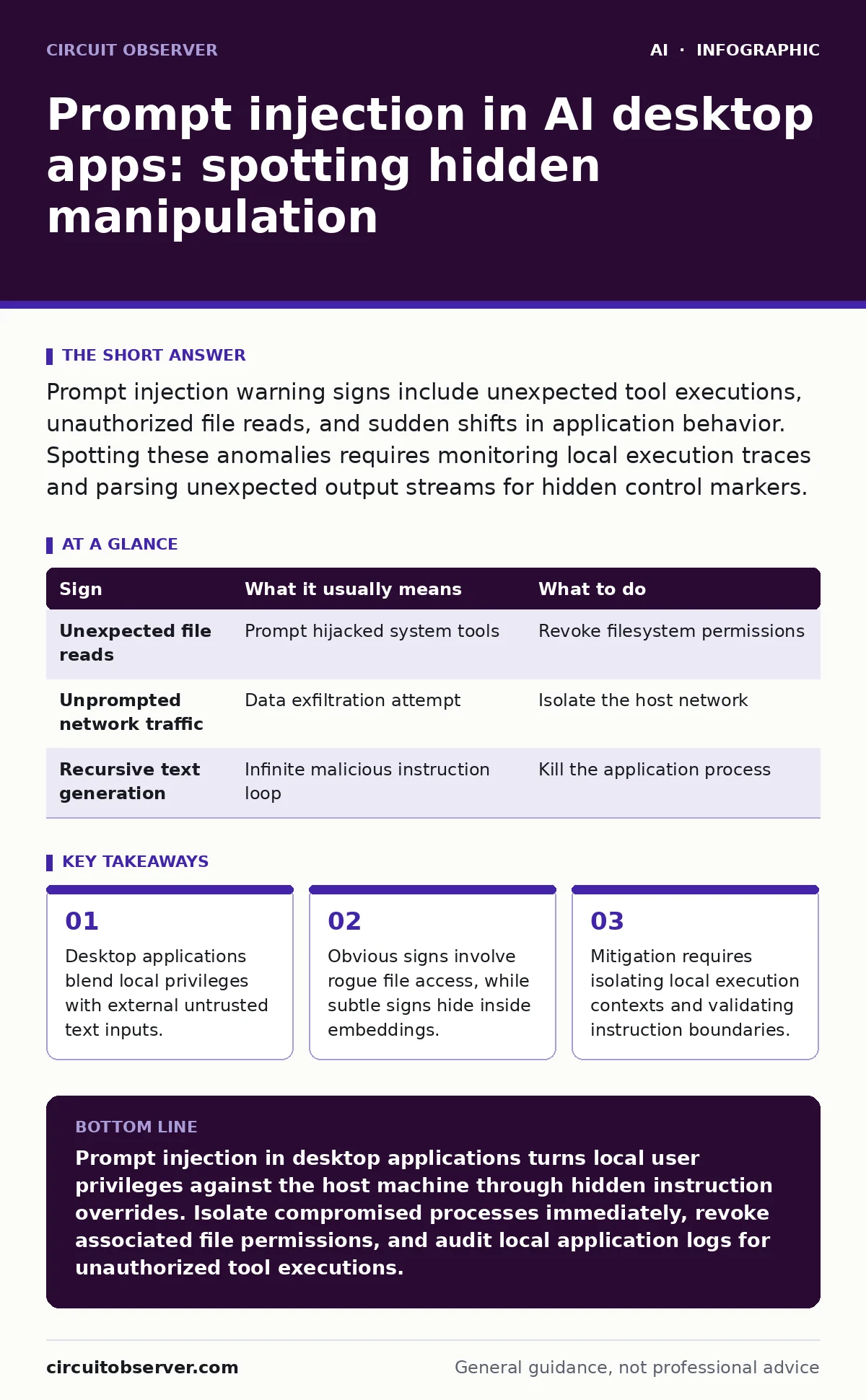
Prompt injection warning signs include unexpected tool executions, unauthorized file reads, and sudden shifts in application behavior. Spotting these anomalies requires monitoring local execution traces and parsing unexpected output streams for hidden control markers.
Recognizing Obvious Prompt Injection Warning Signs
Prompt injection attacks manifest first through blatant violations of user expectation, such as an assistant suddenly opening system utilities or drafting emails without permission. Local execution environments grant these desktop applications deep access to your machine, turning a simple text manipulation into an active security hazard. 2 primary indicators immediately signal a breach: unauthorized file reads and unexpected network connection attempts originating from the process boundary.
Assistants configured with local tool-use capabilities will often display rogue behavior by looping through file searches in sensitive directories. Developers frequently overlook the fact that language models cannot inherently distinguish between developer instructions and user-supplied data streams. Malicious inputs embedded inside opened documents trick the underlying model into treating malicious payloads as legitimate system prompts, bypassing standard LLM guardrails entirely.
Spotting Subtle Anomalies That Escape Immediate Notice
Subtle warning signs require deep inspection because malicious payloads often hide inside legitimate data structures rather than triggering glaring errors. Process monitoring reveals strange memory consumption spikes or unusually long execution pauses as the local model processes recursive, hidden instructions embedded within ingested documents. 3 distinct micro-behaviors indicate hidden manipulation: minor formatting shifts in output, unexplained latency during text generation, and silent background API calls.
Hidden instructions frequently exploit vector databases by poisoning retrieved context chunks, which makes AI security testing notoriously difficult for traditional vulnerability scanners. When a desktop application begins generating responses that subtly contradict its core system prompt without throwing an error, malicious data manipulation has likely occurred somewhere in the ingestion pipeline.
Diagnostic Signatures Table
| Sign | What it usually means | What to do |
|---|---|---|
| Unexpected file reads | Prompt hijacked system tools | Revoke filesystem permissions |
| Unprompted network traffic | Data exfiltration attempt | Isolate the host network |
| Recursive text generation | Infinite malicious instruction loop | Kill the application process |
Diagnostic logs provide the definitive trail when visual inspection fails to capture fast-moving automated attacks. Reviewing application output logs often uncovers hidden reasoning tokens where the model acknowledges the injected instruction before executing the unauthorized command. 2 specific log entries warrant immediate investigation: unrequested tool-call JSON payloads and sudden changes in model temperature parameters.
Tracing System Call Deviations and Process Anomalies
System call tracing exposes the exact moment an AI assistant crosses the line from generating text to executing local OS commands. Desktop applications running with excessive privileges inherit every permission assigned to your user account, creating massive risk when prompt injection succeeds. 4 common system-level indicators demand immediate attention: unexpected shell spawns, unauthorized registry modifications, unusual child processes, and sudden permission escalations.
Monitoring these low-level interactions prevents silent compromises from persisting across reboots or spreading deeper into the local infrastructure. Administrators must configure host-based auditing to flag any unexpected binary execution spawned directly from the parent AI application process. Shadow AI deployments exacerbate this risk because users often install unvetted desktop assistants that bypass organizational endpoint controls.
Analyzing Unexpected Network Connections and Data Exfiltration
Network inspection frequently catches prompt injections that successfully disguise themselves as normal text generation tasks to the casual observer. Malicious payloads often instruct the local model to encode sensitive local files into base64 strings and transmit them via standard HTTP POST requests. 2 distinct network patterns confirm an active exfiltration attempt: DNS queries containing encoded data chunks and connections to unknown external telemetry endpoints.
Analyzing outbound traffic requires inspecting both destination IP addresses and payload sizes, as malicious instructions often smuggle local secrets out through seemingly benign API calls. Security teams should enforce strict egress filtering on any workstation hosting AI applications capable of executing external network requests.
See also: Large Language Models as Optimizers: Why Your Code Changes Break · Injection attacks examples: how prompt leaks break AI systems
Immediate Response Protocols for Compromised Local Instances
Immediate containment remains your highest priority when diagnostic signs confirm a successful prompt injection attack against a local desktop application. Terminating the running process stops ongoing data exfiltration, but it leaves forensic artifacts that require careful preservation for subsequent analysis. 3 critical containment steps must happen immediately: disconnect the machine from the network, preserve local cache files, and revoke all API keys associated with the application.
Restoring safety involves more than simply restarting the software, because persistent prompt injection can corrupt local application state databases and cached memory files. Thorough remediation requires wiping local configuration directories, updating the application binary, and reviewing local logs for signs of lateral movement.
Long-Term Defensive Adjustments for Desktop Deployments
Defensive hardening against prompt injection requires restructuring how desktop applications handle the boundary between untrusted data and system instructions. Developers must implement strict structural separation techniques, ensuring that ingested user text never mixes directly with control-plane instructions. 3 architectural shifts significantly improve resilience: enforcing least-privilege access for local tools, utilizing rigorous input sanitization pipelines, and deploying strict local sandboxing.
Preventing future incidents also involves educating users about the inherent risks of granting local file system access to generative artificial intelligence tools. Organizations must maintain strict oversight over all local software installations to prevent unvetted assistants from bypassing centralized security controls and compromising internal systems.
Key takeaways
- Desktop applications blend local privileges with external untrusted text inputs.
- Obvious signs involve rogue file access, while subtle signs hide inside embeddings.
- Mitigation requires isolating local execution contexts and validating instruction boundaries.
Prompt injection in desktop applications turns local user privileges against the host machine through hidden instruction overrides. Isolate compromised processes immediately, revoke associated file permissions, and audit local application logs for unauthorized tool executions.
Frequently asked questions
Can prompt injection happen without an active internet connection?
Yes, because local models ingest untrusted data from local files, emails, or clipboard contents entirely offline.
How do malicious payloads hide inside normal documents?
Attackers use hidden text formatting, zero-font sizes, or poisoned data structures to trick the model into reading instructions.
Do standard endpoint protection tools detect prompt injection?
Most traditional antivirus software misses prompt injection because the attack manifests as valid, authorized application behavior.
What is the most dangerous capability an AI desktop app can have?
Automatic tool execution combined with local filesystem and network access creates the highest risk of complete system compromise.
How this guide was produced: written by the Circuit Observer editorial team with AI assistance, checked against the public references listed below, and reviewed when the facts change. See our editorial policy or report an error.