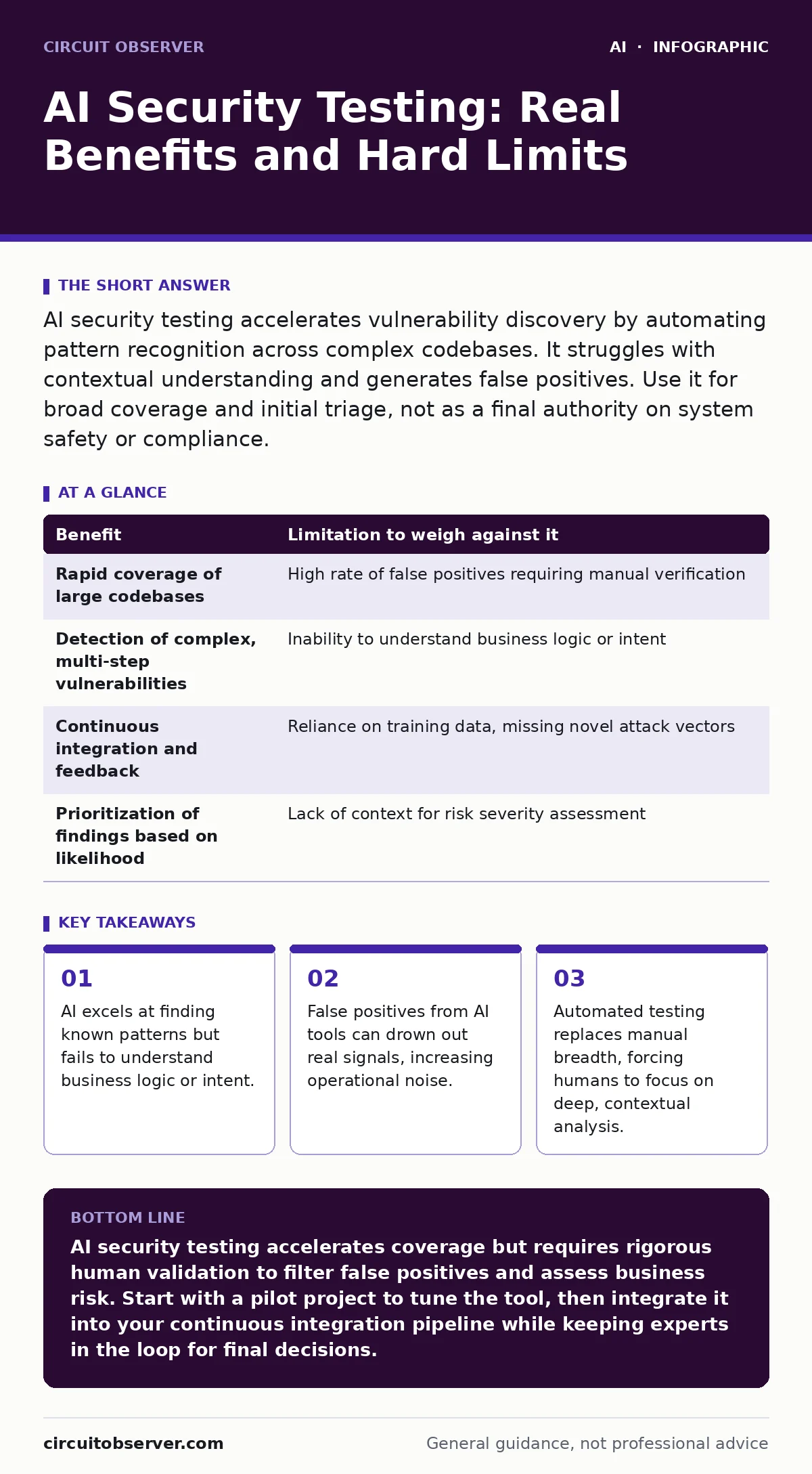
AI security testing accelerates vulnerability discovery by automating pattern recognition across complex codebases. It struggles with contextual understanding and generates false positives. Use it for broad coverage and initial triage, not as a final authority on system safety or compliance.
The Automation Advantage in Vulnerability Discovery
Traditional security testing relies on human intuition and static rule sets. You scan code against a database of known weaknesses. AI security testing changes this by analyzing code structure and behavior to predict where failures might occur. It does not just match strings; it understands context.
Imagine a complex authentication flow spread across five microservices. A human auditor might miss a race condition between services. An AI model, trained on millions of similar architectures, flags the timing dependency instantly. This speed allows you to test more frequently and catch issues earlier in the development cycle.
The benefit is not just speed. It is scale. You can run AI-driven tests on every commit. This continuous feedback loop prevents debt from accumulating. It forces security left, into the design phase, rather than waiting for pre-release audits.
The Hallucination Problem and False Positives
AI models are probabilistic, not deterministic. They predict the next likely token or code pattern. This means they can be confidently wrong. In security testing, this manifests as false positives. The tool reports a vulnerability that does not exist.
You must verify every finding. If an AI tool reports ten issues per run and only two are real, your team spends eight hours investigating ghosts. This is the hidden cost of automation. It shifts labor from finding bugs to filtering noise.
Worse, AI tools can miss novel attack vectors. They rely on training data. If an attack method is new, the model has no reference. It will not flag it. This creates a false sense of security. You assume the system is clean because the tool passed it.
Context Blindness and Business Logic
Security is not just about syntax errors. It is about business logic. AI tools struggle to understand intent. They see a function that accepts user input. They do not know that input should only come from a specific role.
Suppose you have a feature that allows admins to reset user passwords. An AI scanner sees the reset function and flags it as a potential privilege escalation risk. It does not know that the function is protected by a middleware check that only admins pass. The tool reports a flaw. You spend time proving the system is safe.
This context blindness makes AI poor at assessing risk severity. It cannot tell you if a bug matters. A buffer overflow in a public-facing API is critical. The same bug in an internal tool with no network access is low risk. AI treats them the same.
When AI Testing Adds Value
AI testing is worth the investment when you have large, complex codebases. Manual testing is too slow for these environments. You need coverage. AI provides breadth. It checks every line of code, every configuration file, and every dependency.
It is also valuable for initial triage. You use AI to filter out the obvious noise. It groups similar issues. It prioritizes based on likelihood. This lets your human experts focus on the hard problems. The ones that require deep understanding.
Consider integrating this with AI in security operations. Use AI to monitor logs and detect anomalies in real-time. Then use AI testing to validate the code that generates those logs. This creates a feedback loop. You test the system that protects the system.
| Benefit | Limitation to weigh against it |
|---|---|
| Rapid coverage of large codebases | High rate of false positives requiring manual verification |
| Detection of complex, multi-step vulnerabilities | Inability to understand business logic or intent |
| Continuous integration and feedback | Reliance on training data, missing novel attack vectors |
| Prioritization of findings based on likelihood | Lack of context for risk severity assessment |
When AI Testing Is Not Worth It
Do not use AI testing for small, simple projects. The setup cost outweighs the benefit. You can manually review a small codebase faster than you can configure and tune an AI tool. The noise will drown out the signal.
Avoid AI testing for highly regulated environments where every finding must be documented. If the tool hallucinates, you have to prove it wrong. This documentation burden can exceed the time saved by automation. In these cases, manual auditing is more efficient and reliable.
Also, do not rely on AI for deepfake detection or media integrity. These are different domains. AI security testing focuses on code and infrastructure. It does not validate the authenticity of content. Using the wrong tool for the wrong job wastes resources.
See also: Injection attacks examples: how prompt leaks break AI systems · AI Agent Hijacking Response: Containment and Recovery Steps
The Human-in-the-Loop Requirement
AI is a tool, not a replacement. You must keep humans in the loop. The human role shifts from scanner to analyst. You interpret the findings. You understand the context. You make the final call on risk.
This requires new skills. Your team must understand how AI models work. They must know their limitations. They must be able to distinguish between a real threat and a model hallucination. This is not just technical knowledge. It is critical thinking.
Training your team on jailbreaking AI chatbots can help them understand how models can be manipulated. This knowledge translates to security testing. You learn to think like an attacker. You probe the model for weaknesses. You do not just accept its output.
Integrating AI into Your Security Workflow
Start small. Pilot AI testing on a non-critical service. Measure the false positive rate. Adjust the configuration. Tune the model. This iterative process is key. You cannot set it and forget it.
Then expand. Apply the lessons learned to other services. Integrate the tool into your development workflow. Make it part of the daily routine. This ensures consistent coverage. It builds muscle memory for your team.
Finally, review the results. Look for patterns. Are certain types of errors recurring? Are there gaps in your training data? Use these insights to improve your code and your testing. This is how you build a resilient system.
Consider how tokens in language models affect the depth of analysis. If the context window is too small, the AI may miss dependencies. Ensure your tool can handle the size of your codebase. This technical detail impacts the quality of the results.
The Future of Automated Security
The field is evolving. Models are getting better at understanding context. They are learning to reduce false positives. But the core limitation remains. AI does not understand intent. It does not know why you built the system the way you did.
This means the human element will always be required. You will always need to interpret the results. You will always need to make judgment calls. AI will assist, but it will not decide.
Stay informed about AI model monitoring. As you use AI for testing, you must monitor the AI itself. Ensure it is not drifting. Ensure it is not being manipulated. This meta-security is part of the job. You protect the tool that protects your system.
Key takeaways
- AI excels at finding known patterns but fails to understand business logic or intent.
- False positives from AI tools can drown out real signals, increasing operational noise.
- Automated testing replaces manual breadth, forcing humans to focus on deep, contextual analysis.
AI security testing accelerates coverage but requires rigorous human validation to filter false positives and assess business risk. Start with a pilot project to tune the tool, then integrate it into your continuous integration pipeline while keeping experts in the loop for final decisions.
Frequently asked questions
Can AI security testing replace manual penetration testing?
No. AI lacks the contextual understanding and creative thinking required for complex, multi-stage attacks. It is a supplement, not a replacement.
How do I reduce false positives from AI tools?
Tune the tool's configuration, provide it with accurate context about your architecture, and establish a clear process for human verification of all findings.
Is AI security testing safe for production environments?
It depends on the tool. Some tools require access to live data, which can be risky. Use isolated environments or synthetic data whenever possible to avoid exposing real user information.
What skills do my team need to use AI security tools?
They need strong foundational security knowledge, understanding of AI limitations, and the ability to critically analyze automated outputs rather than accepting them blindly.
How this guide was produced: written by the Circuit Observer editorial team with AI assistance, checked against the public references listed below, and reviewed when the facts change. See our editorial policy or report an error.