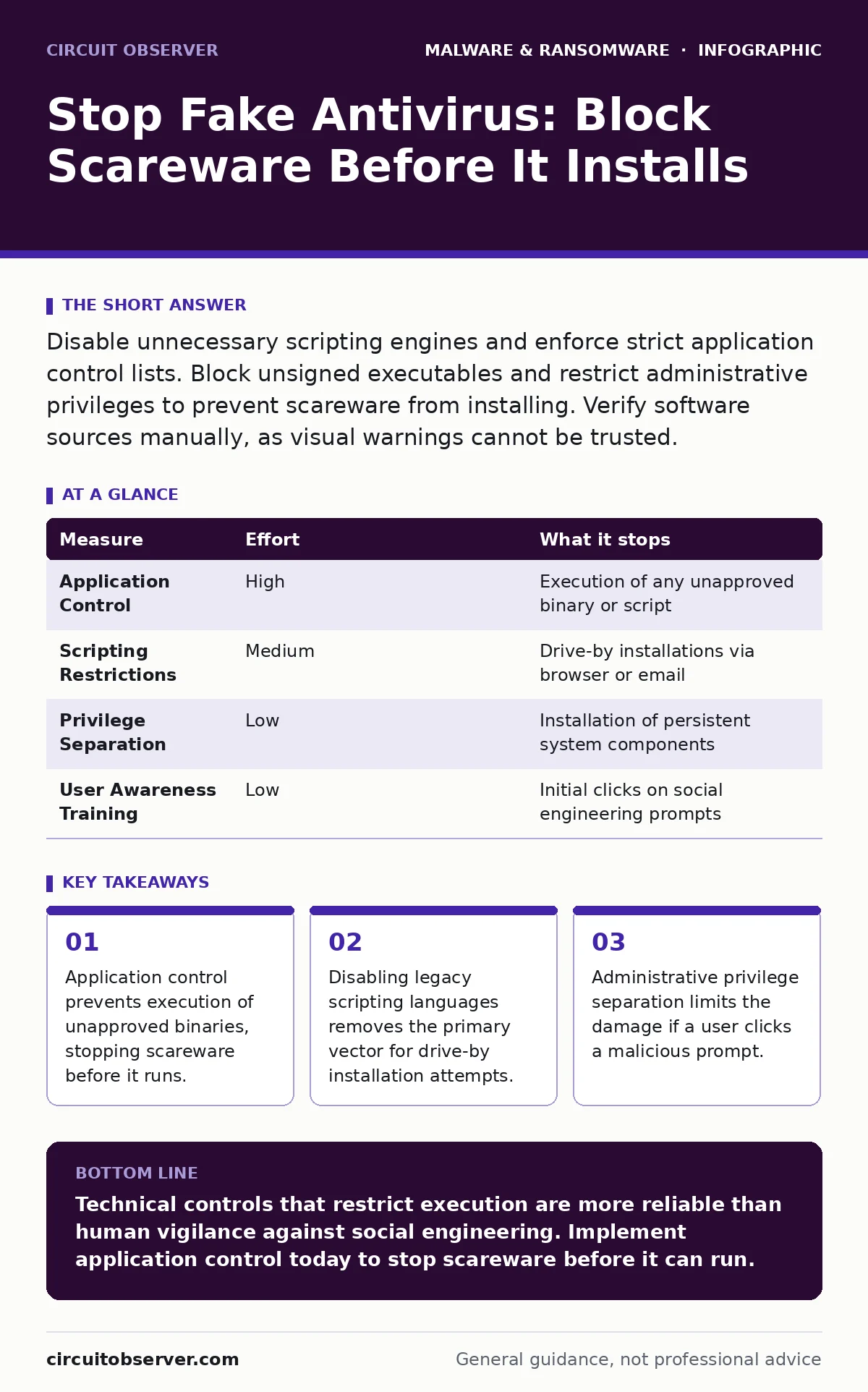
Disable unnecessary scripting engines and enforce strict application control lists. Block unsigned executables and restrict administrative privileges to prevent scareware from installing. Verify software sources manually, as visual warnings cannot be trusted.
The Illusion of Security Alerts
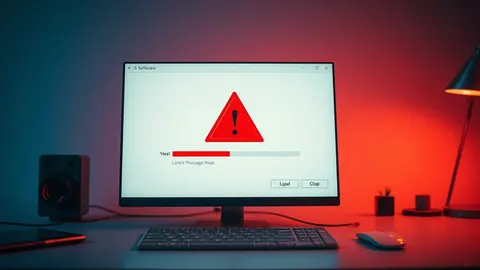
Fake antivirus software, known as scareware, tricks you into believing your system is infected. It uses alarming pop-ups and fake system warnings to induce panic. The goal is not to scan for malware, but to sell you a useless cleanup tool or steal payment details. These programs rely on your immediate emotional response rather than technical sophistication.
You might assume that having a reputable security product installed protects you from these fakes. This assumption is dangerous. Scareware often mimics the interface of legitimate security tools. It may even display fake scan results that look identical to real threat reports. Your brain processes the visual cue of a warning icon as a threat, bypassing critical analysis.
Why Signature Detection Fails
Traditional endpoint security relies on matching file hashes or code patterns against a database of known threats. This method is effective for established malware families but struggles with custom-built scareware. Attackers can modify the code slightly to create a new variant that does not match any known signature. This technique is similar to how malware obfuscation hides malicious intent within legitimate-looking code structures.
Furthermore, scareware often starts as a lightweight script rather than a compiled binary. It may use browser extensions or system utilities to display warnings. These components are often signed with valid certificates or are part of the operating system itself. Signature-based tools cannot easily distinguish between a legitimate administrative script and a malicious one without deeper context.
Application Control as Primary Defense
The most effective way to stop scareware is to prevent it from running in the first place. Application control, or allowlisting, ensures that only approved software can execute on your systems. You define a list of trusted publishers, file paths, or hashes. Anything not on this list is blocked from starting.
This approach shifts the security model from blocking known bad things to allowing known good things. It removes the attack surface for unknown or modified scareware variants. Even if a user clicks a malicious link, the payload cannot execute if it is not on the allowlist. This method requires initial setup and maintenance but provides a higher level of assurance than signature scanning.
| Measure | Effort | What it stops |
|---|---|---|
| Application Control | High | Execution of any unapproved binary or script |
| Scripting Restrictions | Medium | Drive-by installations via browser or email |
| Privilege Separation | Low | Installation of persistent system components |
| User Awareness Training | Low | Initial clicks on social engineering prompts |
Restricting Scripting Engines
Scareware frequently uses scripting languages to bypass executable restrictions. JavaScript, VBScript, and PowerShell are common vectors. These languages are integral to modern computing, so disabling them entirely is often impractical. However, you can restrict their execution scope.
Configure your systems to block scripts from running from temporary directories or user profile folders. Many scareware payloads download a script to a temp folder and execute it immediately. By denying execution rights to these locations, you neutralize the delivery mechanism. This also mitigates risks from malware droppers and loaders that rely on dynamic script execution to deploy their payloads.
Separating Administrative Privileges
Most scareware requires administrative rights to install itself or modify system settings. If a user account has local administrator privileges, a single click on a fake warning can lead to full system compromise. Separating daily use accounts from administrative accounts creates a critical barrier.
Perform daily tasks with a standard user account. Use a separate, password-protected administrator account only for specific maintenance tasks. When a scareware program attempts to install, the system will prompt for admin credentials. Most users do not have these credentials readily available, causing the installation to fail. This simple step prevents the majority of persistent infections.
See also: Android Malware Explained: How Spy Apps Steal Data · Browser Isolation Checklist: Secure Remote Access Without Compromise
Validating Software Sources
Scareware often masquerades as legitimate software updates or drivers. Users may download a fake update from a search engine result that looks authentic. Always verify the source of any software before installation. Check the official website directly rather than clicking links in emails or ads.
Digital signatures provide a layer of verification. Ensure that any executable you run is signed by a trusted publisher. While signatures can be spoofed or stolen, they add a step for attackers. Combine this with manual verification of file hashes when downloading critical tools. This practice complements behavior-based detection by ensuring the initial file is legitimate before it runs.
Handling Browser-Based Scareware
Many scareware attacks occur within the web browser. Malicious sites use JavaScript to create full-screen warnings that mimic operating system alerts. These cannot be closed normally and require force-quitting the browser. To prevent this, configure your browser to block pop-ups and scripts from untrusted sites.
Consider using browser extensions that block known malicious domains. These extensions update frequently and can block the source of the scareware before it loads. Additionally, keep your browser and plugins updated to patch vulnerabilities that allow scripts to gain higher privileges. This reduces the risk of command and control servers being contacted by compromised browsers.
What Does Not Work
Do not rely on disabling notifications as a primary defense. Scareware often bypasses standard notification settings by using system-level APIs or browser permissions that were granted earlier. Simply turning off desktop alerts does not stop the underlying script from executing or displaying content within the browser window.
Avoid using free online scanner tools to check for scareware. These tools are often part of the same ecosystem as the scareware itself. They may report false positives to convince you to purchase a premium version. This creates a cycle of fear and unnecessary spending. Instead, rely on the allowlisting and privilege separation strategies mentioned above.
Closing Checklist
- Enable application control to block unapproved executables and scripts.
- Restrict script execution from temporary and user profile directories.
- Ensure daily user accounts do not have local administrative privileges.
Key takeaways
- Application control prevents execution of unapproved binaries, stopping scareware before it runs.
- Disabling legacy scripting languages removes the primary vector for drive-by installation attempts.
- Administrative privilege separation limits the damage if a user clicks a malicious prompt.
Technical controls that restrict execution are more reliable than human vigilance against social engineering. Implement application control today to stop scareware before it can run.
Frequently asked questions
Can a reputable antivirus detect fake antivirus software?
Modern security tools may detect known scareware signatures, but they often miss custom or script-based variants that mimic legitimate system processes.
How do I know if a warning is real?
Legitimate security software rarely uses full-screen pop-ups or urgent countdown timers to demand immediate action or payment.
Is disabling JavaScript a good solution?
Disabling JavaScript entirely breaks many modern websites. Instead, restrict script execution permissions and use browser security settings to limit its scope.
What should I do if I see a fake warning?
Do not click anything on the screen. Force close the browser or application using the task manager, then run a scan with your trusted security solution.
How this guide was produced: written by the Circuit Observer editorial team with AI assistance, checked against the public references listed below, and reviewed when the facts change. See our editorial policy or report an error.