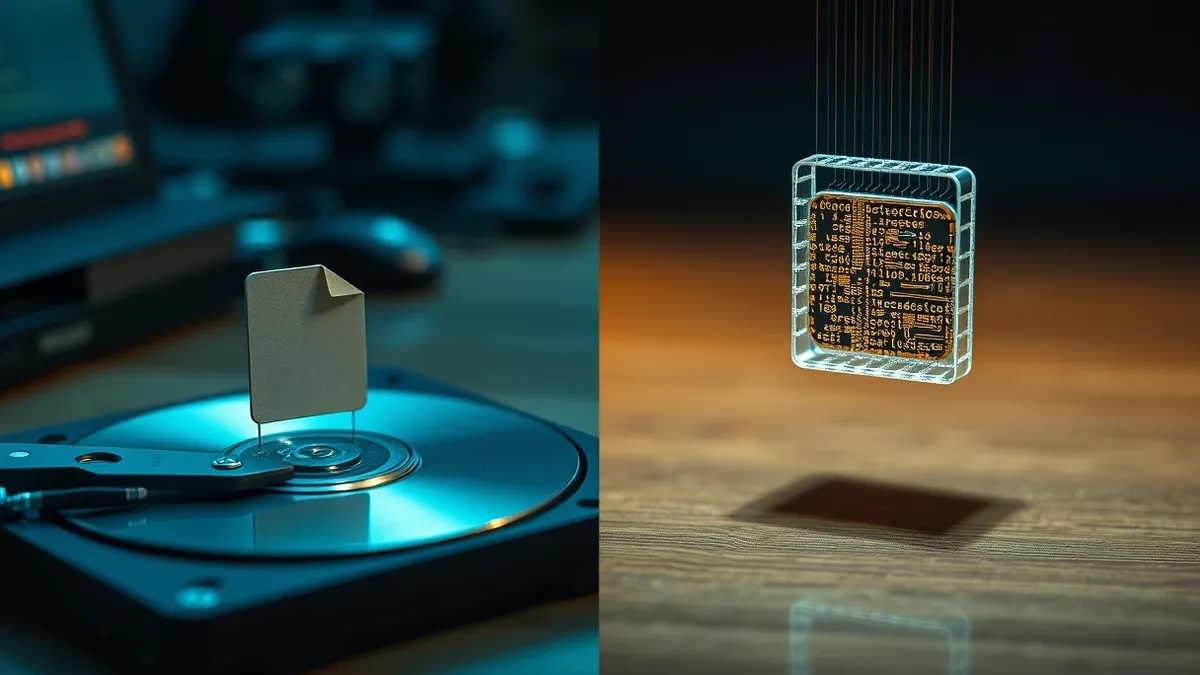
A dropper places malicious files on your system for later execution, often mimicking legitimate software. A loader fetches and runs code in memory without touching the disk. Understanding this distinction changes how you detect and respond to intrusions.
What is the fundamental difference between a dropper and a loader?
A dropper is a program that deposits malicious files onto a system, whereas a loader retrieves and executes those files, often keeping them hidden in memory. The dropper acts as the delivery mechanism, ensuring the malicious payload persists on the hard drive. The loader acts as the execution engine, triggering the actual harmful activity. This separation allows the initial infection vector to remain dormant while the active threat operates invisibly.
Why do attackers separate the delivery from the execution?
Attackers separate these functions to maintain persistence and evade detection mechanisms. If the dropper is detected and removed, the loader may still reside in memory or be re-triggered by a scheduled task. Conversely, if the loader is killed, the dropper can reinstall it during the next system boot. This modularity means security teams must address both the static file on disk and the dynamic process in RAM. It also allows attackers to update the malicious payload remotely without needing to infect the system again.
How do droppers disguise themselves to avoid immediate detection?
Droppers often masquerade as legitimate system components or popular commercial applications. They may use valid digital signatures from compromised certificates to appear trustworthy to the operating system. Some droppers inject their code into legitimate processes, a technique known as process hollowing. This makes the malicious activity look like normal background operations to casual observers. Referencing Microsoft Defender Antivirus documentation can help you understand how signature-based tools attempt to validate these certificates, though valid signatures do not guarantee safety.
What is the primary risk of fileless loaders?
Loaders that operate entirely in memory avoid writing executable files to the disk. This fileless approach bypasses traditional antivirus solutions that scan for known malicious files. The malware resides only in the system’s RAM, disappearing when the computer is rebooted. However, the loader often establishes a connection to command and control servers to receive instructions. This persistence mechanism relies on scheduled tasks or registry run keys to restart the loader after a reboot.
How can you detect a dropper before it executes its payload?
Detection relies on identifying anomalous file creation and modification patterns. Droppers often create files in temporary directories or user profile folders with suspicious extensions. Monitoring for processes that write executable code to disk while running as a standard user is a strong indicator. Behavior-based detection systems excel here by flagging actions rather than file hashes. You should also look for processes that spawn child processes with different privileges or those that attempt to modify system configuration files unexpectedly.
See also: Browser Isolation Checklist: Secure Remote Access Without Compromise · Malware Payloads: Small Business Defense Strategies
Why does static analysis often fail against modern loaders?
Static analysis examines the code of a file without running it, which is ineffective against encrypted or packed loaders. Modern loaders decrypt their payload only at runtime, making the static file appear benign or random. The actual malicious code exists only in memory once the decryption routine executes. This is why dynamic malware analysis is necessary to observe the behavior of the software in a controlled environment. Without observing the runtime behavior, analysts cannot see the true intent of the loader.
What is the role of living-off-the-land binaries in loading?
Attackers often use legitimate system tools to load and execute malicious code, a tactic known as living-off-the-land. Tools like PowerShell, WScript, or CertUtil are built into the operating system and trusted by security software. A loader might use PowerShell to download a script from the internet and execute it directly in memory. This avoids creating new executable files that could be flagged by security tools. Defending against this requires strict application control policies that limit which scripts and tools can run on your systems.
How does the choice of delivery method affect incident response?
The response strategy depends entirely on whether the threat is file-based or memory-based. If a dropper is involved, you must locate and delete the malicious files from the disk. You also need to check for scheduled tasks or registry entries that ensure the dropper runs at startup. If a loader is involved, killing the process may not be enough if it has already injected code into other processes. In complex cases, a full system rebuild from offline backups is the only way to ensure complete removal.
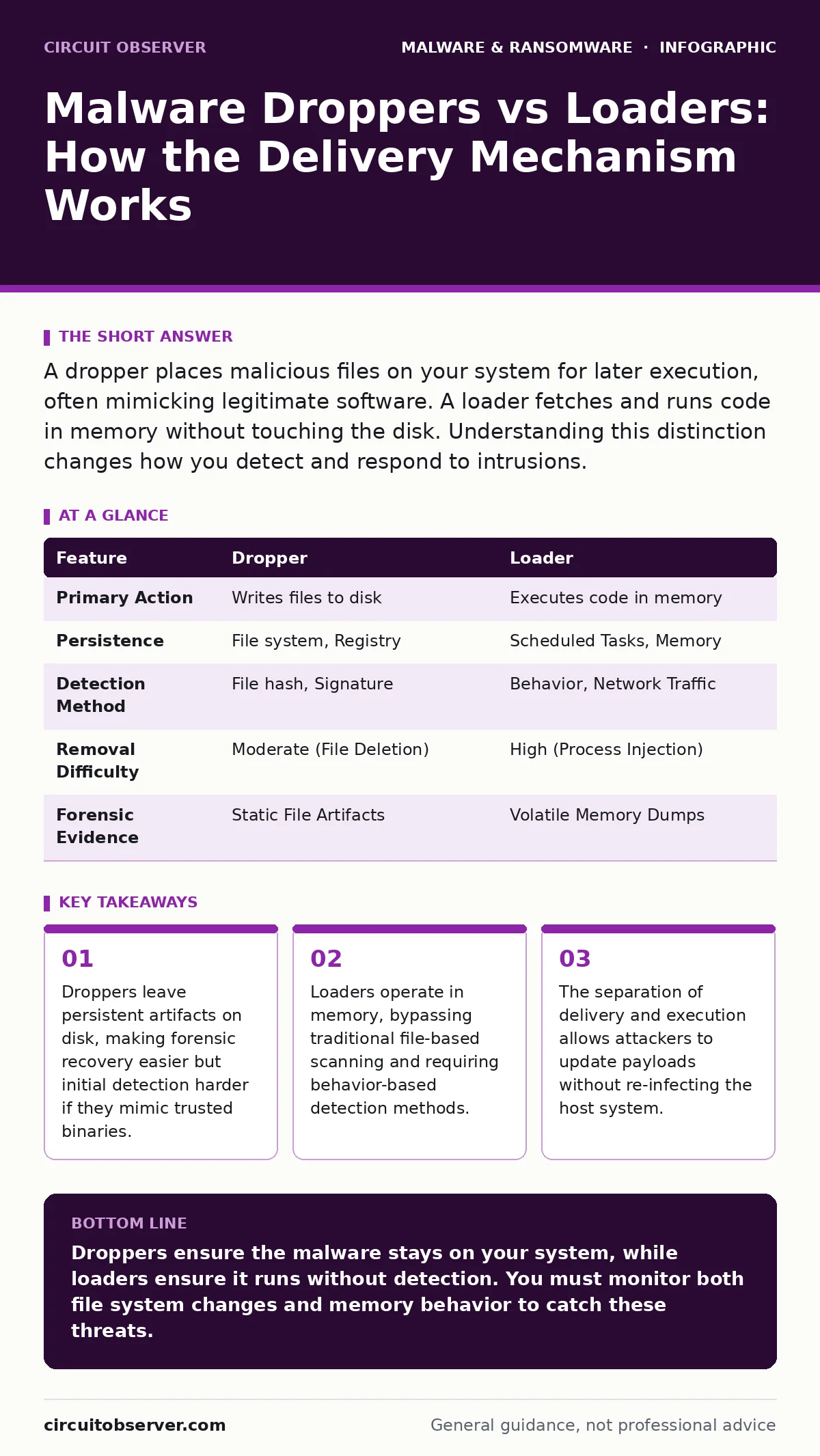
| Feature | Dropper | Loader |
|---|---|---|
| Primary Action | Writes files to disk | Executes code in memory |
| Persistence | File system, Registry | Scheduled Tasks, Memory |
| Detection Method | File hash, Signature | Behavior, Network Traffic |
| Removal Difficulty | Moderate (File Deletion) | High (Process Injection) |
| Forensic Evidence | Static File Artifacts | Volatile Memory Dumps |
What happens if you delete a dropper but not the loader?
Deleting the dropper removes the static file, but the loader may remain active in memory. If the loader has injected itself into a system process, deleting the original file does not stop the malicious activity. The system continues to communicate with the attacker’s infrastructure. Furthermore, if the dropper created a scheduled task to reinstall the loader, the threat will return upon the next trigger. You must kill the active processes and remove the persistence mechanisms, not just the file.
How do these mechanisms affect Linux systems differently?
While the concepts are similar, Linux malware often exploits different persistence mechanisms. Droppers on Linux may modify cron jobs or systemd service files to ensure execution. Loaders might exploit kernel vulnerabilities to hide processes from standard monitoring tools. The open-source nature of Linux allows for more granular control, but also provides attackers with more tools to manipulate the system environment. Understanding the specific service management and scheduling tools on your distribution is critical for detection.
Key takeaways
- Droppers leave persistent artifacts on disk, making forensic recovery easier but initial detection harder if they mimic trusted binaries.
- Loaders operate in memory, bypassing traditional file-based scanning and requiring behavior-based detection methods.
- The separation of delivery and execution allows attackers to update payloads without re-infecting the host system.
Droppers ensure the malware stays on your system, while loaders ensure it runs without detection. You must monitor both file system changes and memory behavior to catch these threats.
Frequently asked questions
Can a single program act as both a dropper and a loader?
Yes, some malware combines both functions to reduce complexity. It may write a file to disk and immediately execute it, blurring the line between delivery and execution.
Do firewalls prevent droppers and loaders from working?
Firewalls can block the initial download or outbound communication, but they cannot stop execution if the malware is already on the system. Internal lateral movement often bypasses perimeter defenses.
How this guide was produced: written by the Circuit Observer editorial team with AI assistance, checked against the public references listed below, and reviewed when the facts change. See our editorial policy or report an error.