
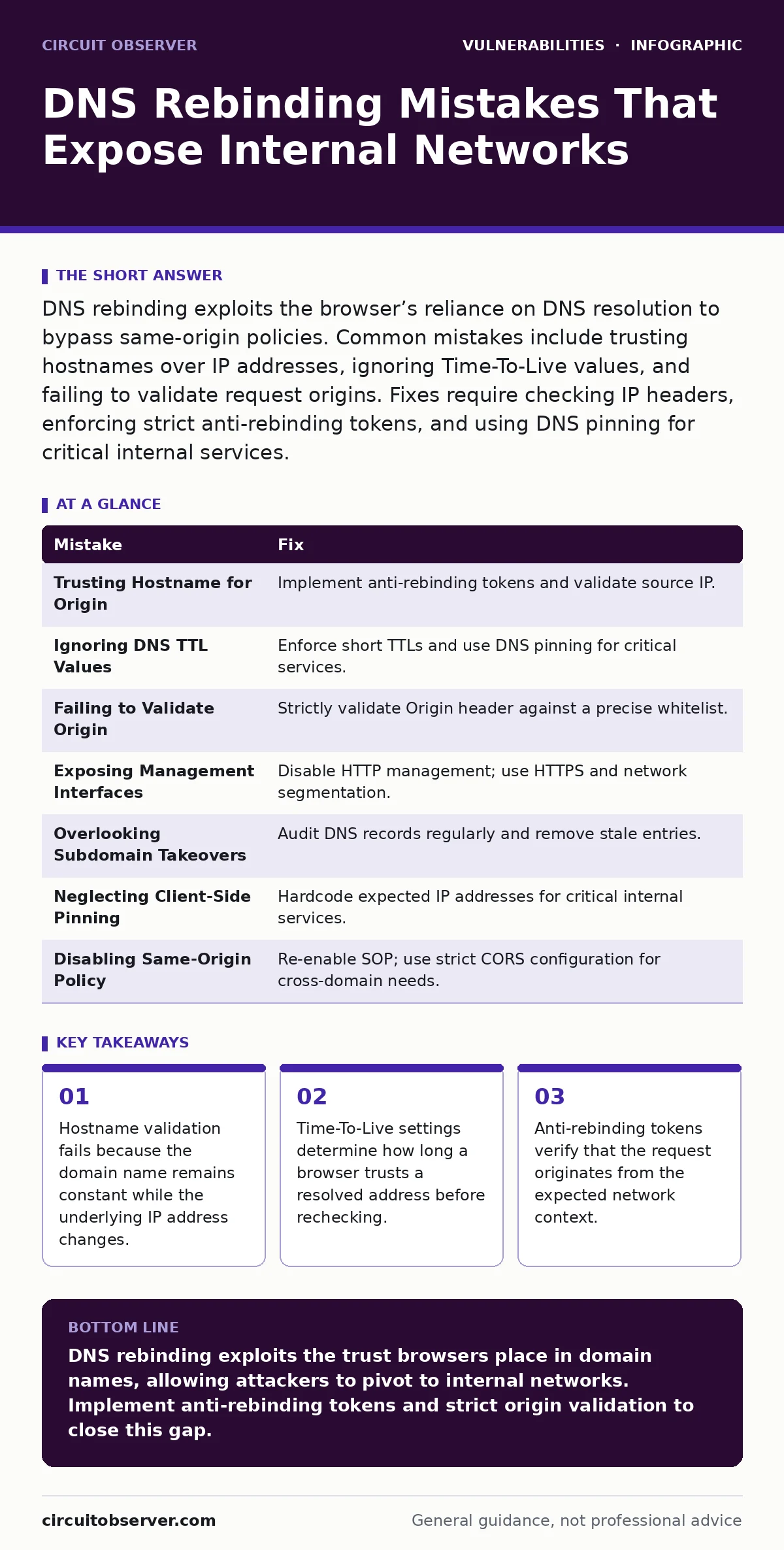
DNS rebinding exploits the browser’s reliance on DNS resolution to bypass same-origin policies. Common mistakes include trusting hostnames over IP addresses, ignoring Time-To-Live values, and failing to validate request origins. Fixes require checking IP headers, enforcing strict anti-rebinding tokens, and using DNS pinning for critical internal services.
Mistake 1: Trusting the Hostname for Origin Verification
Web applications often validate incoming requests by checking the Host header or the domain name in the URL. Attackers exploit this by registering a domain that resolves to their own public server initially. After the browser loads the page and establishes trust, the DNS record changes to point to an internal private IP address. The browser sends subsequent requests to the internal target because it trusts the established domain context. The application sees the familiar hostname and processes the request as legitimate.
Why it hurts: The same-origin policy relies on the domain name, not the IP address. When the IP changes behind the scenes, the browser continues to treat the internal service as part of the original trusted origin. This allows JavaScript to read sensitive data from internal management interfaces, such as router configurations or IoT device logs, which should be isolated from the public internet.
The fix: Implement anti-rebinding tokens. These tokens are generated by the server and include a cryptographic signature of the expected IP address or network segment. The client must include this token in subsequent requests. The server verifies that the token matches the current request context. This ensures that even if the DNS record changes, the request lacks the valid proof of origin.
Mistake 2: Ignoring DNS Time-To-Live Values
Time-To-Live (TTL) dictates how long a DNS record is cached. Short TTL values are necessary for DNS rebinding attacks to work quickly, but many administrators configure internal DNS servers with very long TTLs for performance reasons. Conversely, public DNS resolvers may cache records aggressively. An attacker registers a domain with a minimal TTL. The browser queries the DNS, gets the public IP, and starts loading the page. Within seconds, the DNS record updates to an internal IP. If the browser or an intermediate resolver has not yet refreshed the cache, the attack fails. However, if the cache expires during the session, the bind succeeds.
Why it hurts: Inconsistent caching behavior creates a race condition. Some clients may hit the public server, while others hit the internal target. This unpredictability makes detection difficult. More importantly, if your internal DNS infrastructure is misconfigured to forward external queries without proper TTL enforcement, you expose internal hosts to rapid re-resolution attacks that bypass standard network segmentation.
The fix: Enforce consistent and short TTL values for all dynamic or sensitive internal services. Ensure that your internal DNS servers do not cache external DNS responses for longer than necessary. Use DNS pinning for critical internal endpoints, which forces the client to verify the IP address against a known good value, ignoring the DNS response if it mismatches.
Mistake 3: Failing to Validate the Origin Header
The Origin header is often used to determine if a request comes from a trusted source. In a DNS rebinding scenario, the Origin header will reflect the attacker’s domain name, not the internal service’s address. Many applications check if the Origin matches a whitelist of allowed domains. The attacker’s domain is not on the whitelist, so the request should be rejected. However, if the application only checks for the presence of the header or performs a weak substring match, it may accept the request. Some legacy systems ignore the Origin header entirely for certain content types.
Why it hurts: Weak origin validation allows cross-origin requests to succeed. The browser sends the Origin header automatically for cross-site requests. If the internal service accepts requests from any origin, or if it fails to strictly validate the specific domain, it exposes its functionality to the rebinding attack. This is particularly dangerous for APIs that return sensitive data or perform administrative actions without additional authentication layers.
The fix: Strictly validate the Origin header against a precise list of allowed domains. Reject requests where the Origin header is missing or does not match exactly. Combine this with the anti-rebinding token mechanism to provide defense in depth. Ensure that your web application firewall is configured to block requests with suspicious origin patterns that indicate a rebinding attempt.
Mistake 4: Exposing Management Interfaces on Public Ports
Many network devices and IoT appliances expose management interfaces on standard HTTP ports, such as port 80 or 443. Administrators often assume that because these ports are not directly routable from the internet, they are safe. DNS rebinding bypasses this assumption. The attacker’s domain resolves to an internal IP address that is reachable from the internal network. The browser, running on a machine that has access to both the internet and the internal network, can send requests to these ports. The internal firewall may allow traffic from the internal subnet, unaware that the traffic originates from a malicious external page.
Why it hurts: This mistake turns every user’s browser into an attack vector. If an employee visits a malicious website, their browser can interact with the internal management interfaces of routers, switches, or servers. This can lead to configuration changes, data exfiltration, or the deployment of further malware. The attack is particularly effective because it uses the trusted relationship between the user’s browser and the internal network.
The fix: Disable HTTP management interfaces entirely. Use HTTPS with strong certificate validation for all administrative access. Ensure that management interfaces are only accessible via secure remote access protocols, such as SSH or VPN, and not via standard web browsers. Implement network segmentation to isolate management networks from user networks, preventing direct access from compromised endpoints.
Mistake 5: Overlooking Subdomain Takeovers
Subdomain takeovers occur when a DNS record points to a service that no longer exists. An attacker registers the defunct service and controls the subdomain. They can then use this subdomain for DNS rebinding. The attacker sets up the subdomain to resolve to their own server initially, then changes it to point to an internal target. Because the subdomain is part of your domain, it may bypass some security controls that whitelist your main domain. This is especially dangerous if the subdomain is used for development or testing environments that have weaker security postures.
Why it hurts: Trust in your own domain extends to all subdomains. Security tools may allow traffic from *.yourdomain.com without strict inspection. An attacker who controls a subdomain can leverage this trust to access internal resources. This mistake is compounded by the lack of visibility into defunct DNS records. Many organizations do not regularly audit their DNS zones, leaving stale records that become easy targets.
The fix: Regularly audit your DNS records to identify and remove stale or unused entries. Implement strict DNS management policies that require approval for new subdomain creation. Use DNSSEC to protect your DNS records from unauthorized changes. Monitor for unusual DNS activity, such as rapid changes in TTL or IP addresses, which may indicate a takeover attempt.
Mistake 6: Neglecting Client-Side DNS Pinning
Client-side DNS pinning involves hardcoding the expected IP address of a service into the application code. This prevents the browser from relying on DNS resolution for that specific service. However, many developers neglect this step for internal services, assuming that DNS is secure enough. Without pinning, the application is vulnerable to any change in the DNS record. This is a common oversight in microservices architectures where services communicate via DNS names. If one service is compromised or misconfigured, it can affect all other services that depend on it.
Why it hurts: The absence of pinning means that the application trusts the DNS layer completely. If the DNS is compromised or manipulated, the application will connect to the wrong server. This can lead to data leakage or unauthorized access. In a DNS rebinding attack, the lack of pinning allows the attacker to redirect traffic to an internal target without the application’s knowledge. The application continues to function as expected, but the data is going to the wrong place.
The fix: Implement DNS pinning for all critical internal services. This involves verifying the IP address of the server against a hardcoded value in the application code. If the IP address changes, the application should reject the connection. This adds an extra layer of security that protects against DNS manipulation. Ensure that the pinned values are updated securely when infrastructure changes occur.
Mistake 7: Disabling Same-Origin Policy for Legacy Support
Some legacy applications disable the same-origin policy to allow cross-domain requests. This is often done to support older browsers or specific integrations. However, disabling this policy makes the application vulnerable to DNS rebinding. The browser will allow JavaScript from the attacker’s domain to access the internal service’s data. This is a critical mistake because it removes the primary defense against cross-site attacks. The application becomes an open door for any script running in the user’s browser.
Why it hurts: The same-origin policy is the cornerstone of web security. Disabling it exposes the application to a wide range of attacks, including DNS rebinding, cross-site scripting, and cross-site request forgery. Internal services that rely on this policy for protection will find themselves exposed. The attack surface increases significantly, as any malicious script can interact with the internal service. This is particularly dangerous for services that handle sensitive data or perform administrative tasks.
The fix: Re-enable the same-origin policy for all applications. If cross-domain requests are necessary, use CORS (Cross-Origin Resource Sharing) with strict configuration. Specify the exact domains that are allowed to make requests. Avoid using wildcards in CORS headers. Regularly test your application for security vulnerabilities using static application security testing (SAST) tools to ensure that the same-origin policy is enforced correctly.
| Mistake | Fix |
|---|---|
| Trusting Hostname for Origin | Implement anti-rebinding tokens and validate source IP. |
| Ignoring DNS TTL Values | Enforce short TTLs and use DNS pinning for critical services. |
| Failing to Validate Origin | Strictly validate Origin header against a precise whitelist. |
| Exposing Management Interfaces | Disable HTTP management; use HTTPS and network segmentation. |
| Overlooking Subdomain Takeovers | Audit DNS records regularly and remove stale entries. |
| Neglecting Client-Side Pinning | Hardcode expected IP addresses for critical internal services. |
| Disabling Same-Origin Policy | Re-enable SOP; use strict CORS configuration for cross-domain needs. |
Key takeaways
- Hostname validation fails because the domain name remains constant while the underlying IP address changes.
- Time-To-Live settings determine how long a browser trusts a resolved address before rechecking.
- Anti-rebinding tokens verify that the request originates from the expected network context.
DNS rebinding exploits the trust browsers place in domain names, allowing attackers to pivot to internal networks. Implement anti-rebinding tokens and strict origin validation to close this gap.
Frequently asked questions
Can DNS rebinding attacks bypass VPN security?
Yes, if the VPN client allows split tunneling or if the internal network is reachable from the public internet via misconfigured firewall rules. The attacker’s domain can resolve to an internal IP address that is accessible through the VPN connection.
Does HTTPS prevent DNS rebinding?
HTTPS encrypts the connection but does not prevent the browser from resolving the domain to an internal IP address. If the internal server presents a valid certificate, the browser will accept the connection. You must still implement anti-rebinding measures.
How do I detect a DNS rebinding attack?
Monitor for unusual DNS resolution patterns, such as rapid changes in IP addresses for a single domain. Look for internal services receiving requests from unexpected external IP addresses or with missing anti-rebinding tokens.
Are cloud services vulnerable to DNS rebinding?
Cloud services are less vulnerable if they are properly segmented and do not expose internal management interfaces to the public internet. However, misconfigured cloud resources can still be targeted. Ensure that internal APIs are not accessible from public networks.
How this guide was produced: written by the Circuit Observer editorial team with AI assistance, checked against the public references listed below, and reviewed when the facts change. See our editorial policy or report an error.