
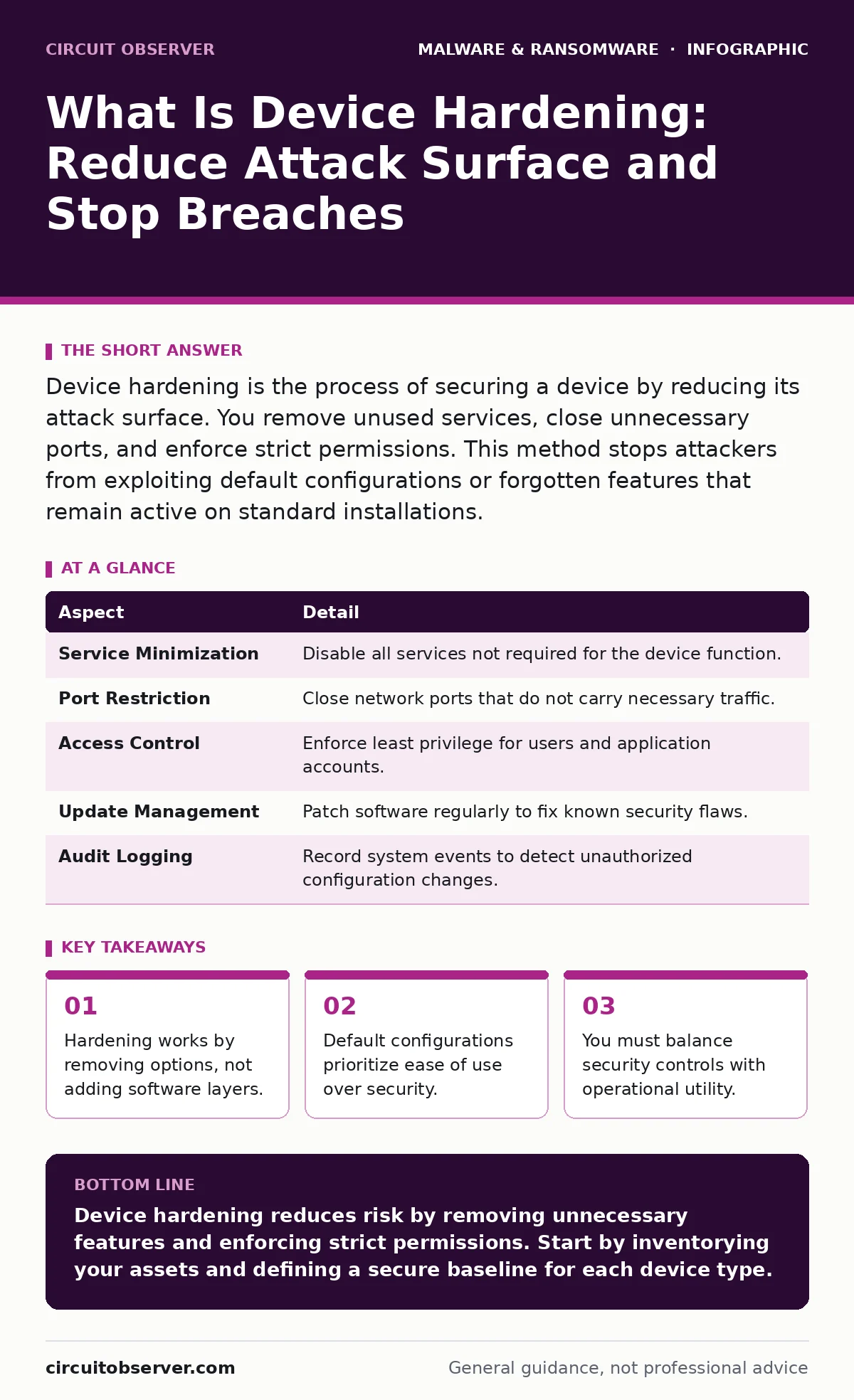
Device hardening is the process of securing a device by reducing its attack surface. You remove unused services, close unnecessary ports, and enforce strict permissions. This method stops attackers from exploiting default configurations or forgotten features that remain active on standard installations.
What is device hardening and why it matters
Device hardening is the practice of securing a device by reducing its attack surface. The attack surface represents every point where an unauthorized user can try to enter or extract data. Hardening works by removing unnecessary features, services, and applications that are not required for the device's specific function. This reduction limits the number of potential entry points available to an attacker.
Most devices ship with default configurations that prioritize functionality and ease of setup. These defaults often leave ports open, services running, and accounts enabled that serve no purpose for your specific workflow. An attacker scans for these common defaults because they are predictable. By changing the default state, you force the attacker to work harder and reduce the chance of a successful breach.
Hardening affects every connected device in your environment. This includes servers, workstations, mobile phones, and Internet of Things devices. Each device presents a unique risk profile based on its role. A printer that connects to the network has different requirements than a database server. You must tailor the hardening process to the specific function of each device to avoid breaking critical operations.
The mechanics of reducing attack surface
The core mechanism of hardening is subtraction. You identify every component on the device and ask if it is necessary. If the component is not required for the primary function, you disable or remove it. This includes disabling unused network ports, stopping background services, and deleting pre-installed software that users rarely touch.
Permissions management forms the second pillar of this process. You apply the principle of least privilege to every user and service account. This means granting only the minimum access rights needed to perform a task. An application should never run with administrative privileges unless it absolutely must. This containment prevents a compromised application from taking over the entire system.
Configuration baselines provide a standard for comparison. You define a secure state for your devices and measure current systems against that standard. Any deviation from the baseline indicates a potential security issue or a drift from the intended secure state. Regular auditing ensures that new updates or user changes do not reintroduce vulnerabilities that were previously eliminated.
At a glance: Core hardening components
| Aspect | Detail |
|---|---|
| Service Minimization | Disable all services not required for the device function. |
| Port Restriction | Close network ports that do not carry necessary traffic. |
| Access Control | Enforce least privilege for users and application accounts. |
| Update Management | Patch software regularly to fix known security flaws. |
| Audit Logging | Record system events to detect unauthorized configuration changes. |
Common misconceptions about security controls
Many people believe that adding security tools equals hardening. This view is incorrect. Installing an extra firewall rule does not harden a device if the underlying service remains vulnerable. Hardening requires removing the vulnerable service entirely. You cannot secure a feature that you do not use.
Another common error is assuming that hardening is a one-time task. Systems change over time. New software is installed, users are added, and configurations drift. Without continuous monitoring and re-baselining, the security posture degrades. You must treat hardening as an ongoing operational discipline rather than a setup phase.
Some administrators fear that hardening will break applications. This risk is real but manageable. Thorough testing in a non-production environment reveals compatibility issues before they impact users. The cost of a brief testing period is far lower than the cost of a security incident. You must validate functionality after every hardening change.
Balancing security with usability
Hardening introduces friction into daily operations. When you restrict permissions or disable features, users may find their workflows interrupted. This friction is a necessary trade-off for security. You must communicate the reasons for these changes to maintain user cooperation and reduce help desk tickets.
Imagine a scenario where a finance department uses a legacy application that requires admin rights to function. Hardening dictates removing those rights. The application breaks. You must then work with the vendor to update the application or find an alternative. This process reveals hidden dependencies that only surface when you enforce strict controls.
Remote access tools often bypass local hardening controls. If you allow unrestricted remote administration, you negate the local security measures. You must secure the remote access channel with the same rigor as the local system. Refer to guides on remote access tool abuse to understand how attackers exploit these channels.
See also: Adware Prevention Checklist: Stop Silent Infection and Data Theft · Android Malware Explained: How Spy Apps Steal Data
Implementing a hardening strategy
Start with an inventory of all assets. You cannot secure what you do not know exists. Document every device, its function, and its current configuration. This inventory serves as the foundation for your hardening efforts. Prioritize devices that handle sensitive data or connect to external networks.
Define a baseline configuration for each device type. This baseline should reflect the most secure state that still allows the device to perform its job. Use automated tools to enforce this baseline across your environment. Manual configuration is error-prone and difficult to scale. Automation ensures consistency and reduces human error.
Test every change in a controlled environment. Verify that the device functions correctly after applying hardening measures. Monitor for errors and performance degradation. Once validated, deploy the changes to the production environment. Roll back immediately if critical functions fail.
Maintaining long-term security posture
Security is not a destination but a continuous process. New vulnerabilities are discovered regularly. You must update your software and configurations to address these threats. Patch management is a critical component of maintaining a hardened state. Unpatched software provides an easy entry point for attackers.
Regular audits verify that your devices remain in the desired secure state. Configuration drift occurs when users or automated processes change settings over time. Audits detect these changes and allow you to correct them before they become security liabilities. Schedule these audits at regular intervals to maintain compliance and security.
Behavior-based detection complements hardening efforts. While hardening reduces the attack surface, it does not stop all attacks. Detection systems identify malicious activity that bypasses preventive controls. This layered approach ensures that you can respond to incidents even if prevention fails. Learn more about behavior-based detection to strengthen your response capabilities.
Key takeaways
- Hardening works by removing options, not adding software layers.
- Default configurations prioritize ease of use over security.
- You must balance security controls with operational utility.
Device hardening reduces risk by removing unnecessary features and enforcing strict permissions. Start by inventorying your assets and defining a secure baseline for each device type.
Frequently asked questions
Does hardening slow down my computer?
Hardening may slightly impact performance if you disable caching features, but it generally improves stability by reducing background processes.
Can I harden a device without breaking apps?
Yes, by testing changes in a staging environment first and applying least privilege carefully to avoid breaking dependencies.
How often should I review hardening settings?
Review settings after major software updates, changes in device function, or when new vulnerabilities are publicly disclosed.
Is hardening enough to stop ransomware?
Hardening reduces the risk, but you also need offline backups and behavior-based detection to recover from and detect ransomware attacks.
How this guide was produced: written by the Circuit Observer editorial team with AI assistance, checked against the public references listed below, and reviewed when the facts change. See our editorial policy or report an error.