A virus attaches to a host file and needs a person to run that file to spread. A worm is a standalone program that copies itself across networks automatically. The difference dictates whether you focus on user behavior or network segmentation to stop the infection.
The Mechanism of Attachment
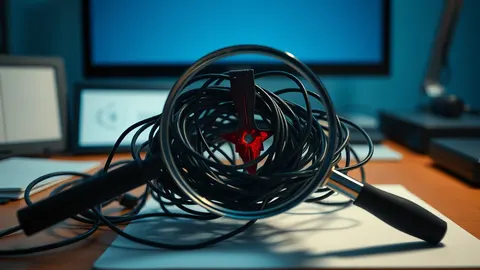
The fundamental distinction lies in autonomy. A virus is a piece of code that inserts itself into a legitimate program or document. It cannot execute or spread until a user opens the infected host file. This dependency on human action creates a specific attack surface centered on user behavior and file integrity.
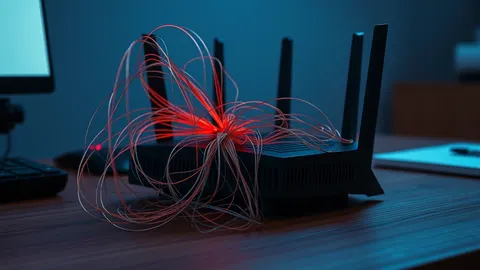
A worm is a standalone malicious program. It does not need to attach to a host file. Instead, it exploits vulnerabilities in operating systems or network services to copy itself from one machine to another. This autonomy allows worms to spread rapidly without any user interaction beyond the initial compromise of a single system.
Why Autonomy Changes the Threat Profile
Because worms move independently, they can traverse an entire network before detection. They scan for other systems with the same vulnerability and exploit it automatically. This makes network segmentation and patch management the primary defenses against worm propagation.
Viruses, by contrast, are limited by the reach of the user who executed the host file. They spread through shared drives, email attachments, or physical media. The threat radius is often contained within the user’s immediate environment until they actively share the infected file with others or move to a shared network location.
Point-by-Point Comparison
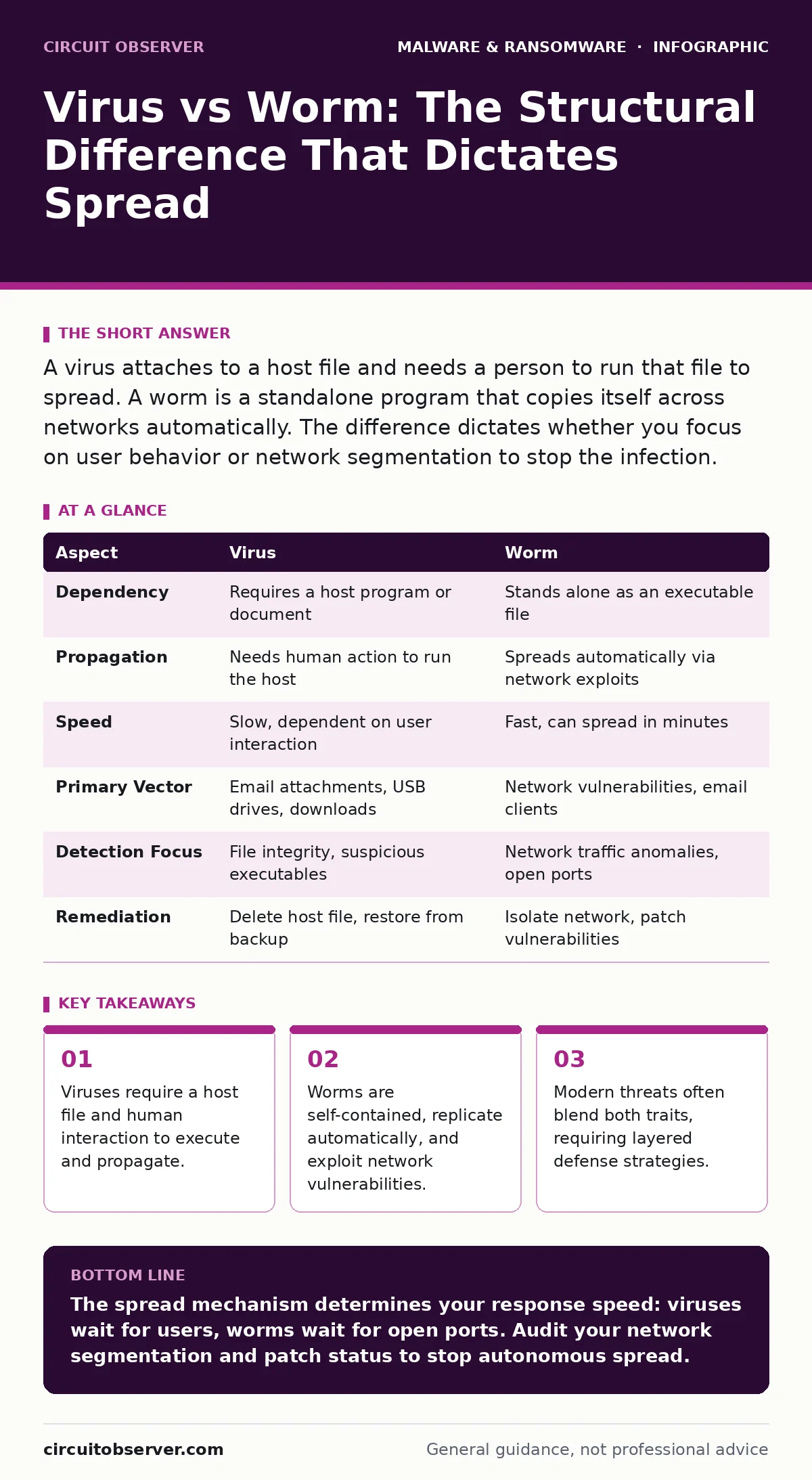
| Aspect | Virus | Worm |
|---|---|---|
| Dependency | Requires a host program or document | Stands alone as an executable file |
| Propagation | Needs human action to run the host | Spreads automatically via network exploits |
| Speed | Slow, dependent on user interaction | Fast, can spread in minutes |
| Primary Vector | Email attachments, USB drives, downloads | Network vulnerabilities, email clients |
| Detection Focus | File integrity, suspicious executables | Network traffic anomalies, open ports |
| Remediation | Delete host file, restore from backup | Isolate network, patch vulnerabilities |
Choosing Your Defense Focus
You should prioritize virus-specific controls when your environment relies heavily on user-generated content and file sharing. Focus on these measures:
- File Hashing: Verify the integrity of critical documents before execution.
- Macro Security: Disable automatic macro execution in office documents, a common vector for document-based viruses.
- User Training: Educate staff on recognizing suspicious file extensions and prompts.
You should prioritize worm-specific controls when your infrastructure has exposed network services or legacy systems. Focus on these measures:
- Network Segmentation: Limit lateral movement by isolating critical assets from general user traffic.
- Patch Management: Keep operating systems and services updated to close the vulnerabilities worms exploit.
- Intrusion Detection: Monitor for unusual scanning activity or high-volume outbound traffic.
Where the Lines Blur
Modern threats often combine both mechanisms. A single piece of malware might start as a virus delivered via an email attachment. Once executed, it installs a worm component to spread across the network. This hybrid approach bypasses the limitations of each type individually.
Imagine a scenario where a user opens a malicious spreadsheet. The virus executes, dropping a worm that begins scanning the local network. The initial infection required human action, but the subsequent spread did not. This duality means you must defend against both user error and network vulnerability simultaneously.
See also: Dynamic Malware Analysis: Benefits, Limits, and When to Use It · Cisco IOS XE Vulnerabilities: Risks and Protection for Small Businesses
Advanced Detection Strategies
Traditional signature-based detection struggles with polymorphic code that changes its appearance. You must look at behavior rather than just file hashes. Behavior-based detection tools monitor for unusual processes, such as a spreadsheet application attempting to connect to the internet or replicate files.
Consider integrating dynamic malware analysis into your security operations. This involves running suspicious files in an isolated sandbox to observe their actions in real-time. This method reveals whether a file exhibits worm-like network activity or virus-like file modification behavior.
For deeper threats, examine malware obfuscation techniques. Attackers often hide worm code within legitimate-looking processes to evade detection. Reverse engineering these samples helps create specific detection rules for your environment.
Containment and Recovery
When a breach occurs, immediate isolation is critical. For viruses, this means removing the infected host files and scanning any system that accessed them. For worms, you must isolate the affected network segment to prevent further lateral movement.
Regular offline backups are your final safety net. Since worms can encrypt or corrupt data across a network, having immutable, disconnected copies ensures you can restore systems without paying ransoms or losing critical information. Ensure your backup verification process includes checking for signs of infection before restoring.
Key takeaways
- Viruses require a host file and human interaction to execute and propagate.
- Worms are self-contained, replicate automatically, and exploit network vulnerabilities.
- Modern threats often blend both traits, requiring layered defense strategies.
The spread mechanism determines your response speed: viruses wait for users, worms wait for open ports. Audit your network segmentation and patch status to stop autonomous spread.
Frequently asked questions
Can a single file be both a virus and a worm?
Yes, hybrid malware often combines both traits. It may attach to a host file like a virus but contain code that spreads automatically like a worm once executed.
Do firewalls stop worms?
Firewalls can block worm traffic if configured correctly to deny unauthorized connections. However, worms can also exploit allowed ports or internal network vulnerabilities that firewalls do not monitor.
Is a trojan a virus or a worm?
Neither. A trojan disguises itself as legitimate software to gain access. It does not self-replicate like a worm or attach to hosts like a virus, though it may deliver other malware types.
How do I know if my system has a worm?
Look for high network traffic, unknown processes running in the background, or systems that become unresponsive. **Malware droppers and loaders** may also be present to deploy the worm payload.
How this guide was produced: written by the Circuit Observer editorial team with AI assistance, checked against the public references listed below, and reviewed when the facts change. See our editorial policy or report an error.