Typosquatted packages are not just random typos. Attackers use algorithmic name generation, mirror legitimate metadata, and exploit automated installers. You must verify package origins, restrict repository access, and audit dependencies rather than relying on manual name inspection or basic antivirus scans.
Myth: Typosquatting Is Just a Simple Spelling Mistake
Reality: Attackers use sophisticated algorithms to generate package names that mimic legitimate software. These names often include valid character substitutions, common prefixes, or suffixes that appear in standard naming conventions. A user might expect "libcurl" to be misspelled as "libcirl", but the attacker might publish "libcurl-core" or "libcurl-utils". The visual difference is subtle, especially in a long dependency tree. The attacker exploits the cognitive bias where the brain fills in missing letters. You cannot rely on a quick glance to spot these threats. The names are designed to pass casual inspection.
Imagine you are reviewing a dependency list for a new project. You see "react-dom" and "react-dom-server". The first is legitimate. The second might be a malicious clone if the official package is named "react-dom". The attacker does not need to make a typo; they need to make a plausible variation. This technique works because package managers often allow multiple packages with similar names. The threat lies in the ambiguity, not the error.
Myth: If the Package Name Is Correct, It Is Safe
Reality: A correct name does not guarantee a safe origin. Attackers can take over abandoned accounts or compromise legitimate maintainer credentials. They then update the existing package with malicious code. The name remains identical. The version number increases normally. Your system sees a routine update. This is known as a supply chain compromise. It bypasses name-based detection entirely. You must verify the publisher identity, not just the string of characters. Public registries often allow anyone to publish if the name is available, but they also allow transfers of ownership.
Consider the case where a developer stops maintaining a library. The account becomes inactive. An attacker requests a transfer or compromises the email. Once they control the account, they push a malicious update. Your automated pipeline pulls the latest version. The name is perfect. The version is higher. The damage is done. This is why you need cryptographic signing and strict source verification. Name matching is a weak control. It provides a false sense of security. You need to trust the key, not the label.
Myth: Automated Installers Prevent Human Error
Reality: Automation amplifies the speed of infection. Build pipelines often run with elevated privileges. They fetch dependencies from public registries by default. If a malicious package enters the dependency graph, the automation installs it immediately. There is no human in the loop to catch the anomaly. The system treats the malicious code as trusted input. This creates a high-impact failure mode. A single compromised leaf dependency can infect the entire build. You must treat automated installs as untrusted input. Restrict where packages come from. Use private proxies or mirrors.
Suppose your CI/CD pipeline runs nightly. It pulls fresh dependencies. An attacker publishes a malicious package with a name similar to a library you use. The pipeline resolves the name. It downloads the tarball. It executes the build. The malicious code runs in the build environment. It may exfiltrate secrets or modify the binary. The automation did not fail; it succeeded too well. It did exactly what it was told. You need to constrain the resolution source.
Myth: Scanning Tools Detect Typosquatted Packages
Reality: Traditional antivirus and static analysis tools look for known malicious signatures. They do not understand context or intent. A typosquatted package often contains clean code until it is installed. The malicious payload might be obfuscated or staged. The scanner sees a valid archive. It sees valid metadata. It passes the check. The threat is in the logic, not the signature. You need behavioral analysis and dependency auditing. You must check who published the package. You must check the code changes. Signature scanning is insufficient for supply chain attacks.
Imagine a package that downloads a script from a remote server at runtime. The package itself is small and clean. The scanner approves it. When the application runs, it fetches the payload. The payload executes. The scanner never sees the payload. It only saw the downloader. This is a common evasion technique. You must monitor network traffic and runtime behavior. Static checks are a starting point, not a solution. You need continuous verification.
Myth: Only Public Registries Are at Risk
Reality: Internal registries can also be targeted. Attackers may compromise an internal mirror or a private repository. They may upload a malicious package with a name that mimics an internal library. Employees trust internal sources more than public ones. This trust is exploited. The assumption that "internal means safe" is dangerous. You must apply the same verification standards to internal packages. Sign your internal releases. Restrict who can publish. Audit internal changes.
Suppose your organization uses a private Nexus or Artifactory instance. An attacker gains access to the network. They upload a package named "internal-utils". The name matches a legitimate internal library. Developers install it. They trust it because it is internal. The malicious code runs. The breach occurs. The defense failed because of trust assumptions. You need to verify the publisher identity. You need to sign packages. You need to restrict write access. Internal does not mean secure.
Myth: Removing the Package Fixes the Problem
Reality: Removing the package deletes the binary, but not the damage. The malicious code may have already executed. It may have exfiltrated data. It may have installed a backdoor. It may have modified other files. You must assume the environment is compromised. You need to rotate credentials. You need to check for persistence mechanisms. You need to audit logs. Simply uninstalling is not enough. You must treat the incident as a breach. Forensics are required.
Imagine the package runs a script that copies SSH keys. You remove the package. The keys are gone. The attacker has them. They can access your servers. You are not safe. You must revoke the keys. You must check for other signs of compromise. You must rebuild the environment. Trust is broken. You must restore it through verification.
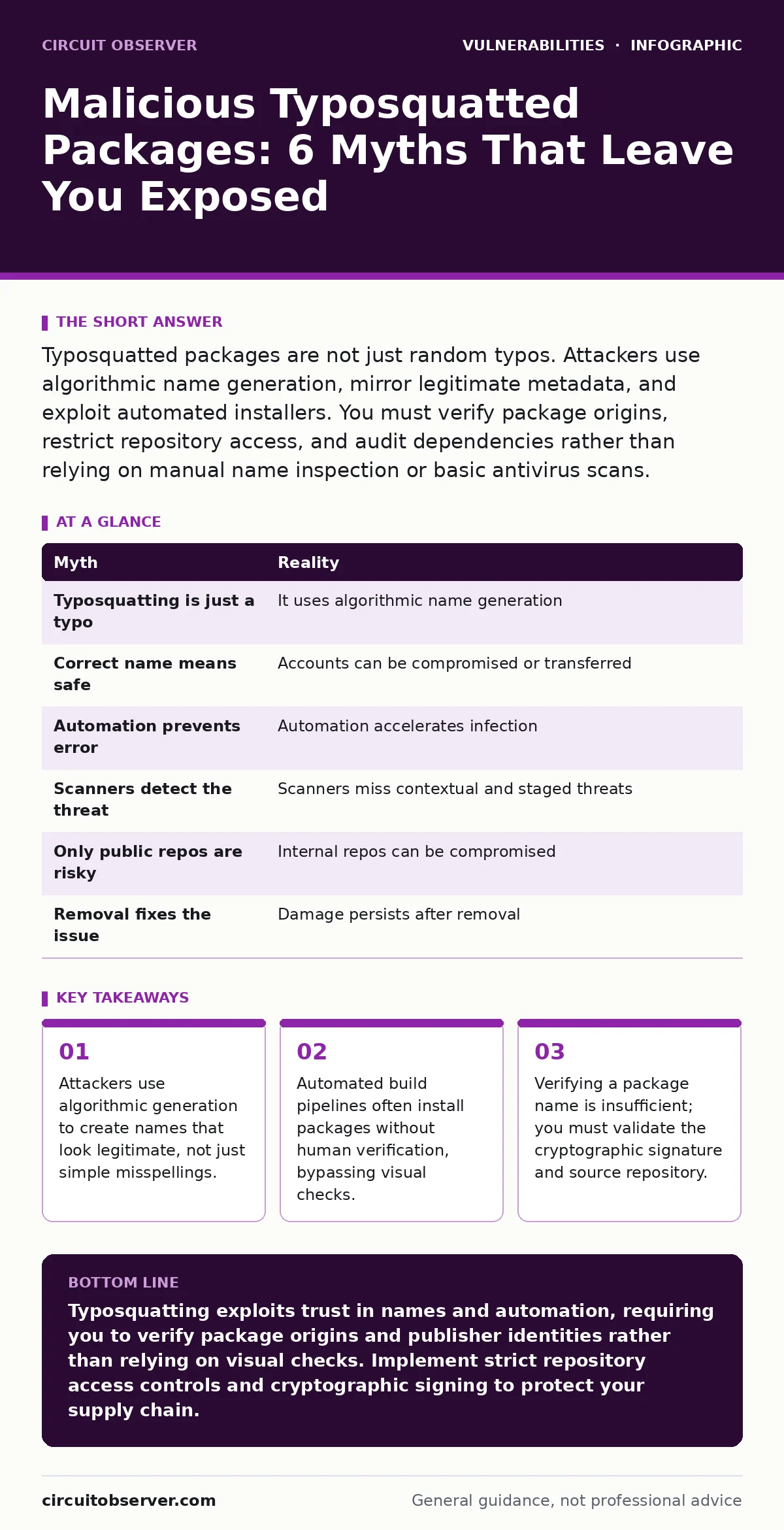
| Myth | Reality |
|---|---|
| Typosquatting is just a typo | It uses algorithmic name generation |
| Correct name means safe | Accounts can be compromised or transferred |
| Automation prevents error | Automation accelerates infection |
| Scanners detect the threat | Scanners miss contextual and staged threats |
| Only public repos are risky | Internal repos can be compromised |
| Removal fixes the issue | Damage persists after removal |
Key takeaways
- Attackers use algorithmic generation to create names that look legitimate, not just simple misspellings.
- Automated build pipelines often install packages without human verification, bypassing visual checks.
- Verifying a package name is insufficient; you must validate the cryptographic signature and source repository.
Typosquatting exploits trust in names and automation, requiring you to verify package origins and publisher identities rather than relying on visual checks. Implement strict repository access controls and cryptographic signing to protect your supply chain.
Frequently asked questions
How do I find typosquatted packages in my project?
Use dependency auditing tools that scan your lock files against known malicious databases. Review recent changes in your dependency tree for unfamiliar publishers or sudden version jumps.
Can I trust packages from well-known organizations?
No organization is immune to account compromise. Always verify the cryptographic signature of the package and ensure it matches the expected publisher key.
What is the best way to prevent installation of malicious packages?
Restrict your package manager to use only trusted, private repositories or mirrors. Implement allowlists for approved packages and block direct access to public registries in production builds.
How does this relate to file upload vulnerabilities?
While different, both involve trusting external input. File upload vulnerabilities allow attackers to place malicious files on your server, while typosquatting tricks you into installing malicious code from a registry. Both require strict input validation.
How this guide was produced: written by the Circuit Observer editorial team with AI assistance, checked against the public references listed below, and reviewed when the facts change. See our editorial policy or report an error.