
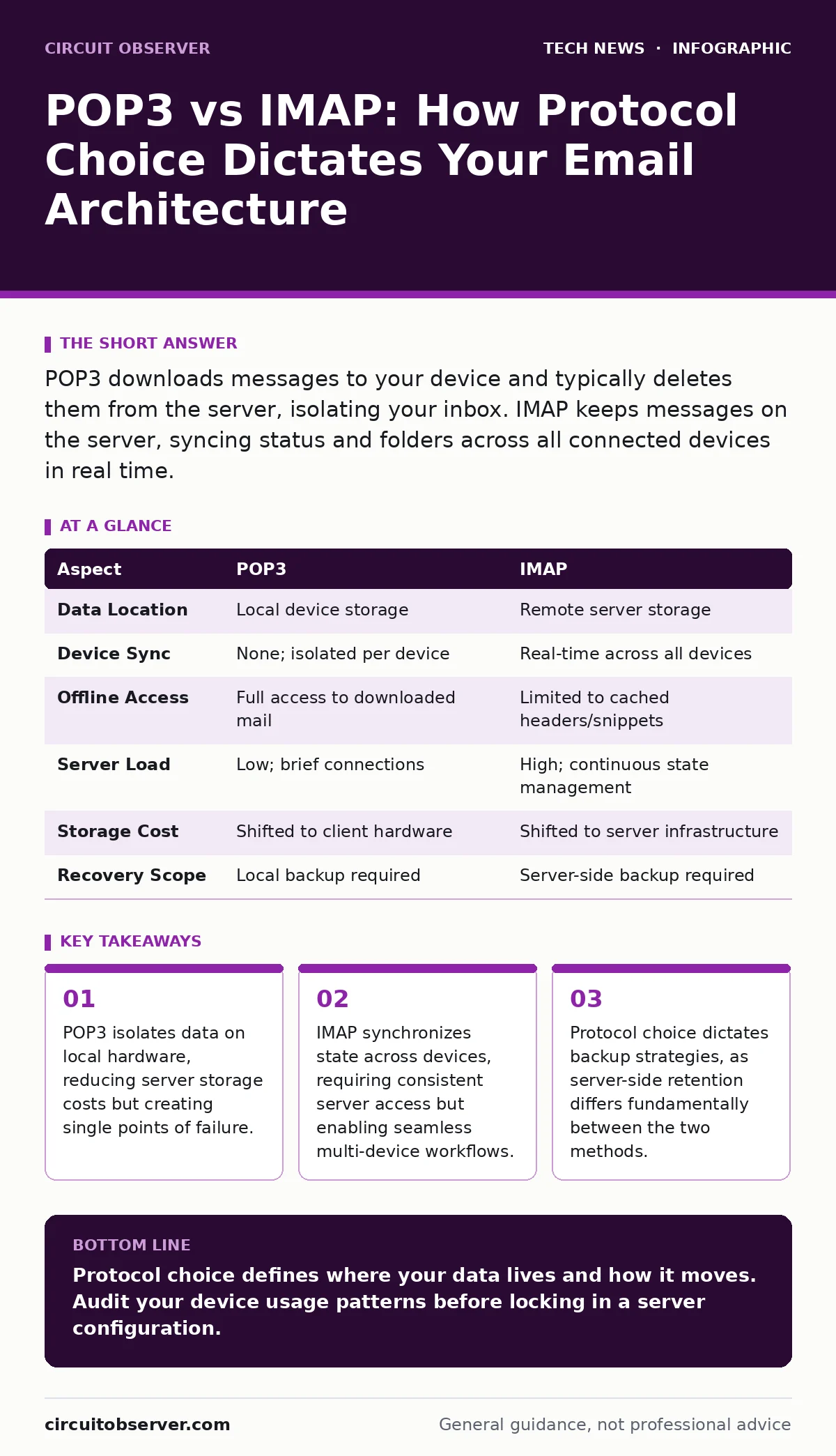
POP3 downloads messages to your device and typically deletes them from the server, isolating your inbox. IMAP keeps messages on the server, syncing status and folders across all connected devices in real time.
The Fundamental Divergence
The choice between Post Office Protocol version 3 (POP3) and Internet Message Access Protocol (IMAP) defines how your email client interacts with the mail server. POP3 treats the server as a drop-off point, pulling messages to your device for offline access. IMAP treats the server as the primary storage, mirroring changes from any device to all others. This distinction is not merely about convenience; it dictates your entire data retention and recovery strategy.
Defining the Mechanisms
POP3 operates on a simple download-and-delete model. When your client connects, it retrieves headers, then bodies, and usually removes the copy from the remote server. You own the local file. If the server crashes, your local archive remains intact. However, if your device fails, that data is gone unless you maintain separate backups. This protocol assumes a single primary device or a user who manages their own local archives.
IMAP operates on a synchronization model. The server remains the source of truth. When you read, delete, or move a message on one device, that state updates on the server and propagates to every other connected client. This requires a persistent or frequent connection to the server. It assumes the server is always available and trustworthy.
Point-by-Point Comparison
| Aspect | POP3 | IMAP |
|---|---|---|
| Data Location | Local device storage | Remote server storage |
| Device Sync | None; isolated per device | Real-time across all devices |
| Offline Access | Full access to downloaded mail | Limited to cached headers/snippets |
| Server Load | Low; brief connections | High; continuous state management |
| Storage Cost | Shifted to client hardware | Shifted to server infrastructure |
| Recovery Scope | Local backup required | Server-side backup required |
When to Choose POP3
Choose POP3 when you require strict data isolation. This is common in environments where local compliance laws prohibit data residency on external servers. It is also suitable for users with limited server storage quotas who need to archive years of correspondence locally.
- You operate on a single primary computer.
- You need to manage your own backup tapes or disk images.
- Your network connection is intermittent or unreliable for long sessions.
- You want to reduce the attack surface on your mail server by minimizing active connections.
When to Choose IMAP
Choose IMAP when workflow continuity across devices is the priority. This is the standard for modern professional environments where you switch between a smartphone, tablet, and desktop throughout the day. It ensures that your folder structure, flags, and search indices are consistent everywhere.
- You access email from multiple devices daily.
- You rely on server-side search capabilities for large archives.
- You need shared mailboxes where multiple users access the same folder tree.
- You prefer not to manage local backups of individual email files.
Where They Overlap
Both protocols rely on Simple Mail Transfer Protocol (SMTP) for sending messages. The choice between POP3 and IMAP only affects how you retrieve and manage received mail. Both can be secured with Transport Layer Security (TLS) to encrypt the connection between your client and the server. Neither protocol inherently secures the content of the email itself; you must implement additional measures for that.
Imagine a scenario where your organization mandates email security through encryption at rest. Both POP3 and IMAP can coexist with encrypted storage, but IMAP requires the server to decrypt and re-encrypt data for every sync operation, adding latency. POP3 downloads the encrypted blob once, shifting the decryption load to your local machine.
Hidden Costs and Trade-offs
The hidden cost of POP3 is data fragmentation. Your email archive exists in silos on various hard drives. Restoring a specific email from three years ago requires knowing which device held it and whether that device’s backup is still valid. The hidden cost of IMAP is dependency. If your mail server goes offline, your ability to reference past correspondence vanishes, even if you have cached data.
Consider the implications for remote work security. IMAP allows employees to access corporate email from any location, increasing the attack surface. POP3 restricts access to the initial download window, potentially limiting exposure if devices are compromised later. However, this comes at the cost of operational friction.
Integration with Broader Security
Your choice of email protocol interacts with your broader website security posture. If your email server shares infrastructure with your web server, IMAP’s constant connections increase the load and potential for resource exhaustion attacks. POP3’s brief bursts are easier to rate-limit.
Furthermore, consider domain name security. Both protocols rely on DNS lookups to locate the mail server. If your DNS is compromised, an attacker can redirect both POP3 and IMAP connections to a malicious server. The protocol choice does not mitigate this risk; you must secure your DNS records independently.
Key takeaways
- POP3 isolates data on local hardware, reducing server storage costs but creating single points of failure.
- IMAP synchronizes state across devices, requiring consistent server access but enabling seamless multi-device workflows.
- Protocol choice dictates backup strategies, as server-side retention differs fundamentally between the two methods.
Protocol choice defines where your data lives and how it moves. Audit your device usage patterns before locking in a server configuration.
Frequently asked questions
Can I use POP3 and IMAP on the same account?
Technically yes, but it causes data conflicts. IMAP will sync changes that POP3 cannot see, leading to duplicate or missing messages.
Does IMAP use more bandwidth than POP3?
Yes, because it frequently syncs metadata and flags, not just message bodies. This adds overhead but enables real-time consistency.
Is POP3 obsolete?
It is less common but not obsolete. It remains relevant for specific archival, compliance, and low-bandwidth use cases.
Which protocol is better for shared mailboxes?
IMAP is superior for shared mailboxes, as it allows multiple users to see the same folder state and message flags simultaneously.
How this guide was produced: written by the Circuit Observer editorial team with AI assistance, checked against the public references listed below, and reviewed when the facts change. See our editorial policy or report an error.